Thursday, August 27, 2015

Difference between tHash components and tBuffer components

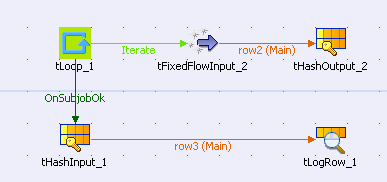
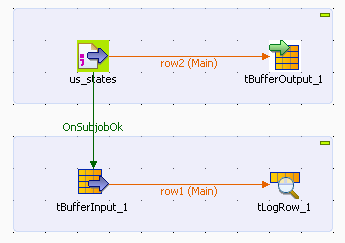
tHashInput VS tBufferInput
tHashOutput VS tBufferOutput
You can use both the components to store the data and reuse it later.
tHash components are private to the job and so cannot be shared across the job.
To share data between jobs you can use the tBuffer components to move data back up to a parent job or of course write the data to a flat file or database.
If performance is a concern you could try using an in memory database such as HSQLDB to temporarily hold the data.

https://help.talend.com/images/54/bk-components-rg-542/Use_Case_tBufferInput1.png
Cheers! Uma

Monday, August 17, 2015

The differences between SID and Service Name in Oracle connection

When creating an Oracle connection, there are two types of connections that can be used:
  •  SID
  • SERVICE_NAME

The differences between those are:
  • SID = the unique name of your DB
  • ServiceName = the alias used when connecting

SID = unique name of the INSTANCE
For example, the oracle process running on the machine, the SID is the local name of the database on your system, and the Service Name is the name of the system to the outside world.
For example, you might have a QA database and a production database with the same SID but referenced with 2 different service names:
QA.WORLD =
 (DESCRIPTION =
   (ADDRESS =
      (PROTOCOL = TCP)
       (PORT = 1521)
     (HOST = QA.ACME.ORG)
   )
   (CONNECT_DATA = (SID = MYSID))
)

PROD.WORLD =
 (DESCRIPTION =
   (ADDRESS =
      (PROTOCOL = TCP)
      (PORT = 1521)
      (HOST = PROD.ACME.ORG)
   )
   (CONNECT_DATA = (SID = MYSID))

)

Cheers!
Uma

Thursday, August 13, 2015

How to use tFixedFlowInput in many ways in Talend

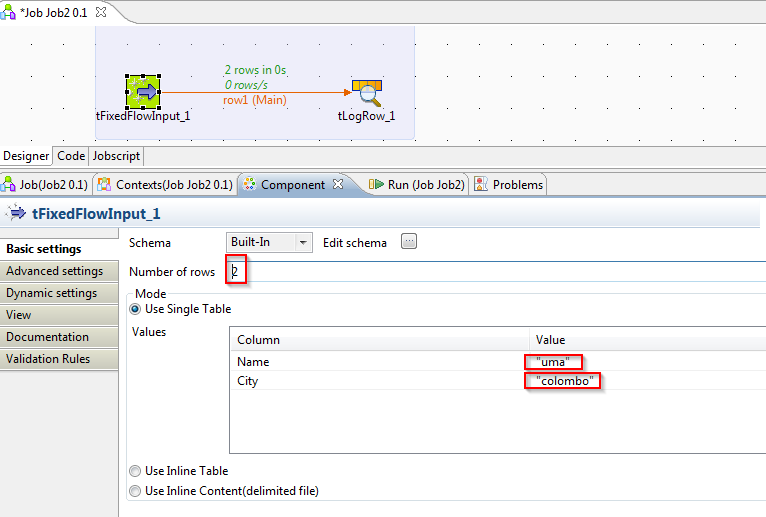
tFixedFlowInput allows you to generate fixed flow from many input ways.
From the three options, select the mode that you want to use.
  • Use Single Table : Enter the data that you want to generate in the relevant value field.
  • Use Inline Table : Add the row(s) that you want to generate.
  • Use Inline Content : Enter the data that you want to generate, separated by the separators that you have already defined in the Row and Field Separator fields.


The following examples shows that how to use tFixedFlowInput
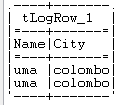
Use Single Table - Hard code the value

Use Single Table - Getting values from Context
Use Single Table - Getting values from data flow via global variables

Use Inline Table - Used as Input


Use Inline Table - Used as Lookup table for modified values

 
Use Inline Content (delimited file)

Cheers!
Uma

Wednesday, August 12, 2015

How to update the latest changes to Job Conductor in Talend Administration Centre (TAC)

If you want to redeploy Job latest modification changes in TAC, in Job conductor you need to click on Generate and then click on Deploy. You can notice the status changes as Ready to generate, Ready to deploy and Ready to run.


Cheers! Uma

Sunday, August 2, 2015

How to log data in Talend Job using tLogCatcher

tLogCatcher helps to catch Warning and Errors and log data in a package. Having tLogCatcher is similar to running whole package under TRY..CATCH.
Both tDie and tWarn components are closely related to the tLogCatcher component. They generally make sense when used alongside a tLogCatcher in order for the log data collected to be encapsulated and passed on to the output defined.
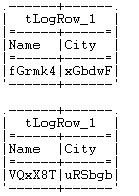
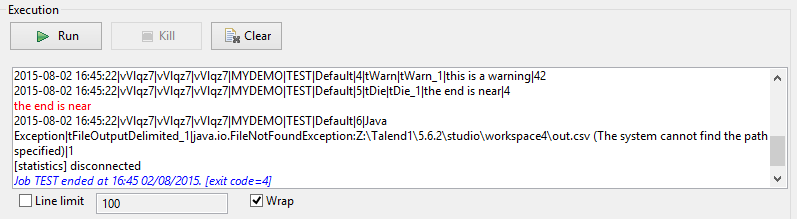
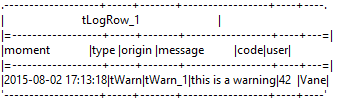
The below images shows the how to use tDie, tWarn and tLogCatcher and the log data.
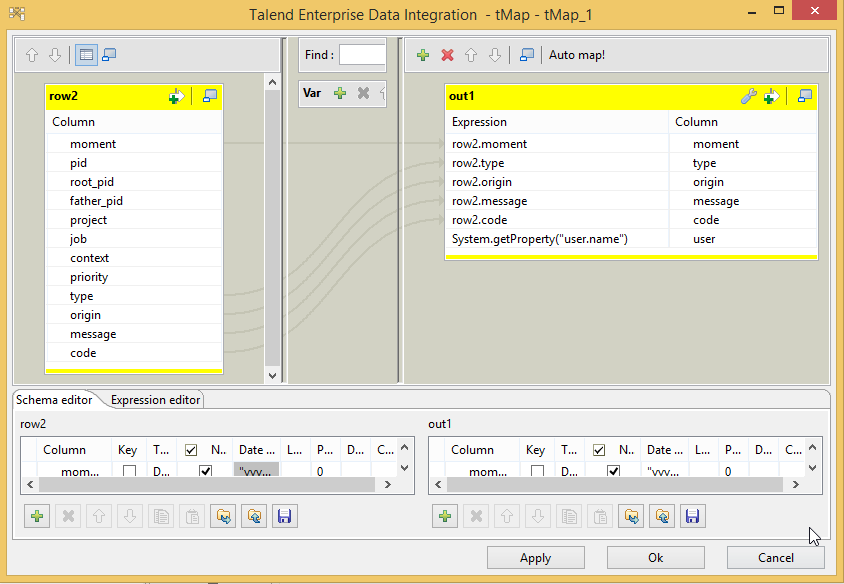
You can customized the log output using tMap.
Choose the required output column from tLogCatcher and also you can add new column such user.

Cheers! Uma

Wednesday, July 29, 2015

HTTP Post using T-SQL

I thought to re-post this useful query which helps to do HTTP POST using T-SQL

declare @iobject int,
@ihr int,
@data nvarchar(4000) ,
@smtpWebService varchar(200),
@retVal varchar(8000),
@src varchar(1000),
@desc varchar(1000)

exec @ihr = sp_oaCreate 'Msxml2.ServerXMLHTTP.3.0', @iobject OUTPUT
if (@ihr <> 0)
begin
exec sp_displayoaerrorinfo @iobject, @ihr return
end

set @data = 'boo=yeah'
set @smtpWebService = 'http://www.google.com'

exec @ihr = sp_OAMethod @iobject, 'Open', null, 'POST',@smtpWebService, 0
exec @ihr = sp_OAMethod @iobject, 'setRequestHeader', null, 'Content-Type', 'application/x-www-form-urlencoded'
exec @ihr = sp_OAMethod @iobject, 'send', null, @data

if @ihr <> 0
begin
exec sp_OAGetErrorInfo @iobject, @src OUT, @desc OUT
select hr = convert(varbinary(4),@ihr), Source = @src, Description = @desc
--raiserror('Error Creating COM Component 0x%x, %s, %s',16,1, @ihr, @src, @desc) return
print @src
print @desc
end

exec @ihr = sp_OAGetProperty @iObject, 'responseText', @retVal OUT
print @retVal
-- Destroy the object
exec @ihr = sp_OADestroy @iobject

Original post link:
http://techknowledges.blogspot.com/2007/10/t-sql-http-post-string.html


sp_displayoaerrorinfo 

CREATE PROCEDURE sp_hexadecimal
    @binvalue varbinary(255),
    @hexvalue varchar(255) OUTPUT
AS
DECLARE @charvalue varchar(255)
DECLARE @i int
DECLARE @length int
DECLARE @hexstring char(16)
SELECT @charvalue = '0x'
SELECT @i = 1
SELECT @length = DATALENGTH(@binvalue)
SELECT @hexstring = '0123456789abcdef'
WHILE (@i <= @length)
BEGIN
DECLARE @tempint int
DECLARE @firstint int
DECLARE @secondint int
SELECT @tempint = CONVERT(int, SUBSTRING(@binvalue,@i,1))
SELECT @firstint = FLOOR(@tempint/16)
SELECT @secondint = @tempint - (@firstint*16)
SELECT @charvalue = @charvalue +
SUBSTRING(@hexstring, @firstint+1, 1) +
SUBSTRING(@hexstring, @secondint+1, 1)
SELECT @i = @i + 1
END
SELECT @hexvalue = @charvalue
go

CREATE PROCEDURE sp_displayoaerrorinfo
    @object int,
    @hresult int
AS
DECLARE @output varchar(255)
DECLARE @hrhex char(10)
DECLARE @hr int
DECLARE @source varchar(255)
DECLARE @description varchar(255)
PRINT 'OLE Automation Error Information'
EXEC sp_hexadecimal @hresult, @hrhex OUT
SELECT @output = '  HRESULT: ' + @hrhex
PRINT @output
EXEC @hr = sp_OAGetErrorInfo @object, @source OUT, @description OUT
IF @hr = 0
BEGIN
SELECT @output = '  Source: ' + @source
PRINT @output
SELECT @output = '  Description: ' + @description
PRINT @output
END
ELSE
BEGIN
    PRINT ' sp_OAGetErrorInfo failed.'
    RETURN
END


Cheers!
Uma

Tuesday, July 28, 2015

Generate a custom error message in Execute SQL Task in SSIS

Generates an error message and initiates error processing for the session. RAISERROR can either reference a user-defined message stored in the sys.messages catalog view or build a message dynamically. The message is returned as a server error message to the calling application or to an associated CATCH block of a TRY…CATCH construct.

declare @position varchar(20)
set @position = ?

if (@position like 'eng%' or @position like 'man%')
begin
delete from dbo.employee where position = @position;

end
else 
begin
raiserror ('position is an unidentified type',10,1)
end
go

Cheers!
Uma