Showing posts with label XPATH. Show all posts

Monday, January 4, 2016

How to use XPath in XML Task in SSIS 2014

The XML Task is used when you need to validate, modify, extract, or even create files in an XML format.
In SSIS 2014, there are six operation types are available.


XPath: This option uses the XML Path Language and allows the extraction of sections or specific nodes from the structure of the XML document. You might use this option to extract data from the XML document prior to using the content. For example, you might want to pull out only the orders for a specific customer from an XML file.
In XPath, you can choose one of the operation in the below list box. Node list will retrieve all the nodes based on the XPath and Values will retrieve only values based on the XPath.
In this following example shows how to retire the nodes
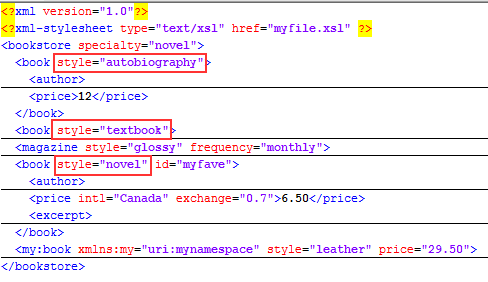
The source file contains 3 nodes for book
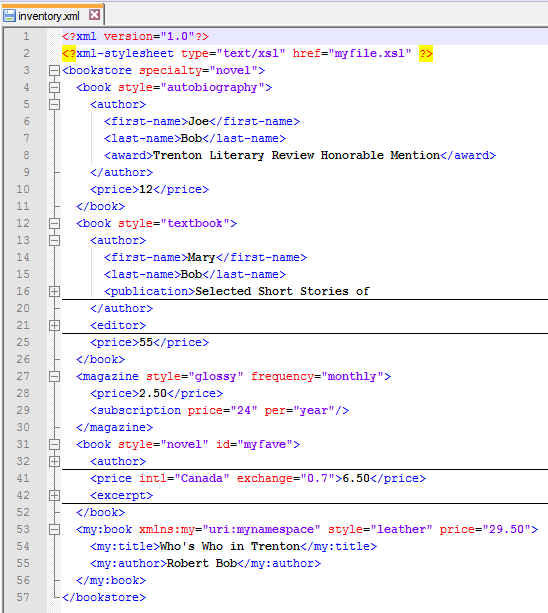
Configure the XPath as //book and other file path variables and run. To learn about XPath, please follow this link

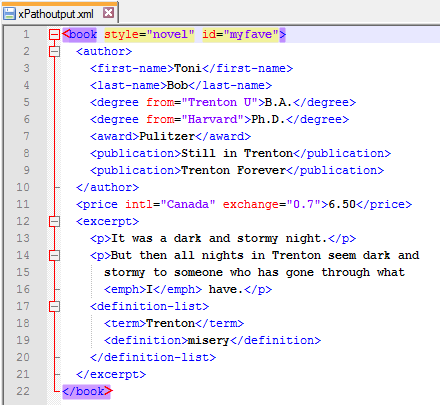
In the output you can notice that only book elements are retrieved.
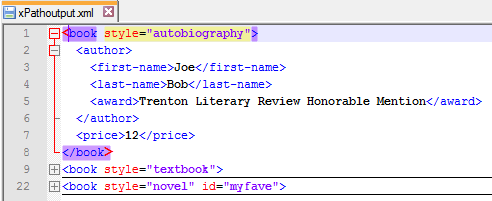
Now let see the Value retrieve
If you need to retrieve all the authors first name
If you need to retrieve attribute you need to use @ symbol before the attribute, for example if you need to take all the style of the book
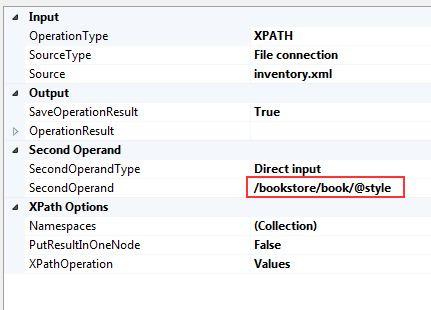
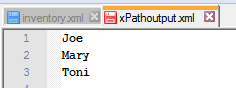
Output:
If you need to take last node:


Cheers!
Uma

Monday, October 12, 2015

Understand XPath syntax and Define Loop XPath Query and mapping XPath Query for tFileInputXML

In these days, XML source format is one of the mostly used source system for data integration. To handle XML format source file, depth understanding of XPATH is very important.
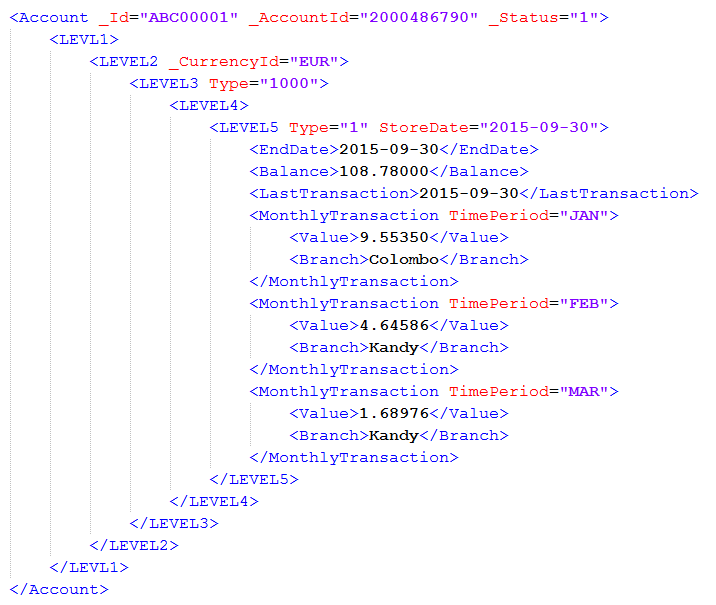
In this example illustrates, how to extract data from XML source file, and how to define XPATH for each required data. From this file, Monthly transaction needs to extract such as Month, Value, and Branch.
First this is, define the Loop XPath query. Month, value and Branch will be loop data, so LOOP XPATH:
Loop XPath query:
"/Account/LEVL1/LEVEL2/LEVEL3/LEVEL4/LEVEL5/MonthlyTransaction"


Source File:
Expected Output:
XPATH for mapping as per output requirement:
* You can not call another Loop elements in the same tFileInput , you should use another tFileInput with the separate XPath Loop query. After that using tMap use can join and bring them into same flow.

* Loop element's properties can be call such as "Branch/@id"

XPath syntax elements for XML file:
XPath
Description
/
the root object/element
.
the current object/element
/
child operator
..
parent operator
//
Recursive descent.
*
Wildcard. All objects/elements regardless their names.
@
Attribute access.


Cheers! Uma