Install RSAT: Active Directory Domain Services and Lightweight Directory Services Tools


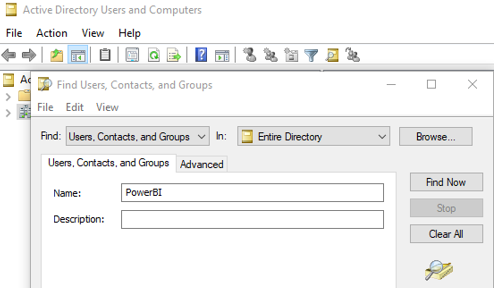
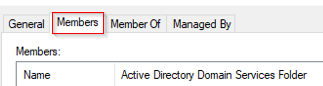
Search your group using find, and double click on the group and find the member under members tab.
Cheers!
Uma
Install RSAT: Active Directory Domain Services and Lightweight Directory Services Tools
Search your group using find, and double click on the group and find the member under members tab.
Cheers!
Uma
In Linux command, chmod 400 file is used to protect a file against accidental overwriting.
In windows you can use icacls command
https://docs.microsoft.com/en-us/windows-server/administration/windows-commands/icacls
In this case, let see how to give read only permission to .pub file
C:\WINDOWS\system32>cd c:\Keys
c:\Keys>icacls.exe id_rsa.pub /reset
processed file: id_rsa.pub
Successfully processed 1 files; Failed processing 0 files
c:\Keys>icacls.exe id_rsa.pub /grant:r "%Username%":"(R)"
processed file: id_rsa.pub
Successfully processed 1 files; Failed processing 0 files
c:\Keys>icacls.exe id_rsa.pub /inheritance:r
processed file: id_rsa.pub
Successfully processed 1 files; Failed processing 0 files
You can do the same for Private key and share the Public key and your IP address to get permission from the SFTP host. Once the permission is granted check the connection.
c:\Keys>sftp -i id_rsa <SFTP username>@<SFTP Host IP>
c:\Keys>exit
Cheers!
Uma


