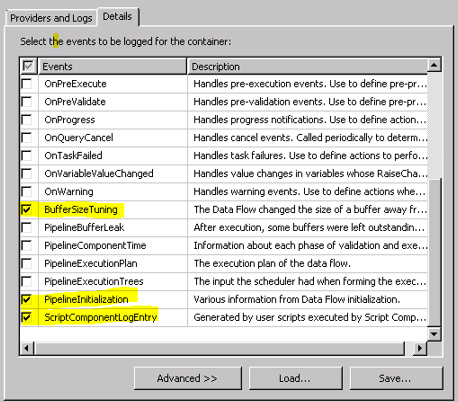
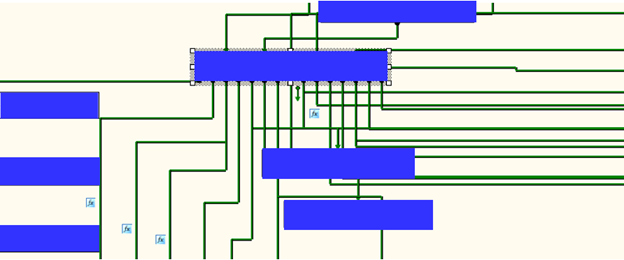
In order to achieve effective and goal-oriented performance tuning it is mandatory to know your system’s bottlenecks. In most cases the root causes for those bottlenecks lie deep in the system’s architecture and are not visible at first sight. For example the following image shows one of the complex master package design.
Performance Monitor
Performance Monitor allows you to analyze all performance counters in a single window. Depending on the number of counters this can be very confusing.
SSIS Package Instances: Total number of simultaneous SSIS Packages running.
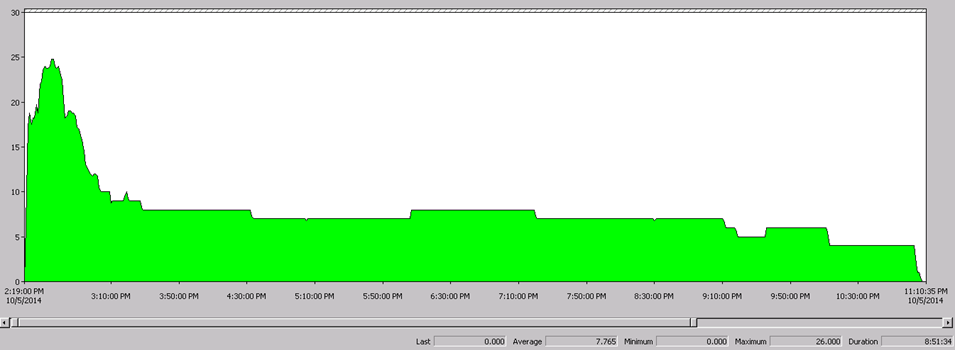
The above image illustrates that we can go up to 26 Maximum Parallel Processing (Number of Logical Processing + 2 = 24 + 2= 26).

This information will help to re organize sub packages in proper order in the master packages and parallel processing design.
Buffer Spooled: "Buffers spooled" counter to determine whether data buffers are being written to disk temporarily while a package is running. This swapping reduces performance and indicates that the computer has insufficient memory.
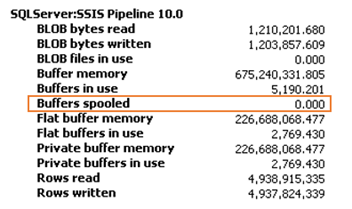
Total SQL memory vs SSIS memory utilization (Only SSIS packages):
 From this output we can come to the conclusion that there are no any Memory Bottlenecks.
SQL Server I/O Bottlenecks:
Disk sec/Transfer –> Time taken to perform the I/O operation
Ideal value for Disk sec/Transfer is 0.005-0.015 sec. If you consistently notice this counter is beyond 0.015 then there is a serious I/O bottleneck. Look for Disk Bytes /sec immediately. If it is below 150 MB for SAN disk and Below 50 MB for Single disk then the problem is with I/O subsystem engage hardware vendor.
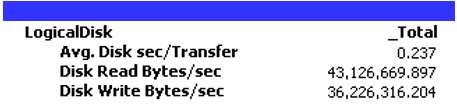
From this output we can come to the conclusion that there is a series bottleneck with I/O operation in the server. However this is not applicable for production environment or other environment because in the server all file groups are pointed to one disk.
% Processor Time (Total): %Processor Time Indicated how much the processor actually spends on productive threads. Seek to understand how much CPU is being used by Integration Services and how much CPU is being used overall by SQL Server while Integration Services is running.
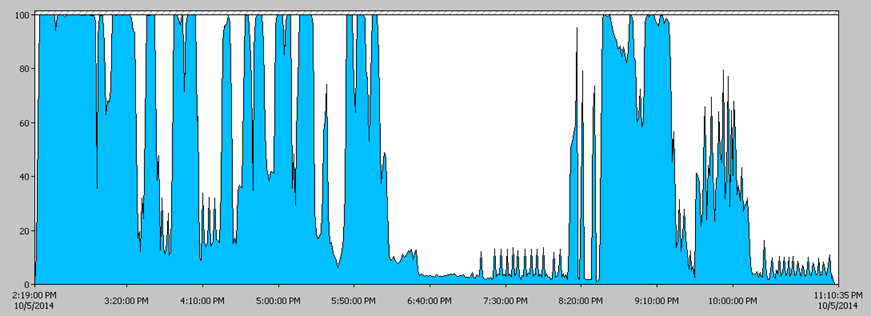 This outcome will help us for future re organize sub packages/tasks in packages and parallel processing design.
Network: SSIS moves data as fast as your network is able to handle it. Because of this, it is important to understand your network topology and ensure that the path between your source and target have both low latency and high throughput.

From this outcome we can come to conclusion that there are no any Network bottle neck in the server.
Wait Stats When SQL Server is executing any task, and if for any reason it has to wait for resources to execute the task, this wait is recorded by SQL Server with the for the delay.

CXPACKET:
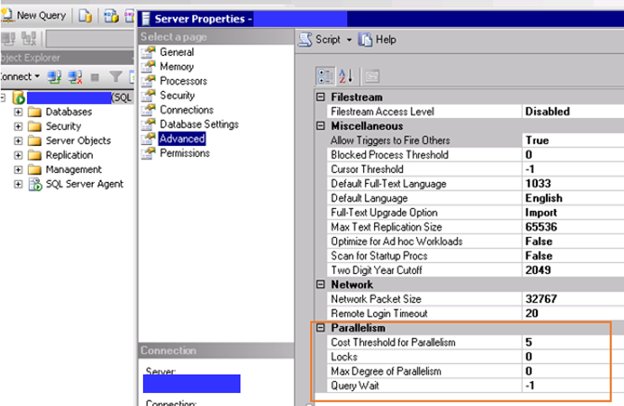
When a parallel operation is created for a SQL query, multiple threads for a single query are used. Each query usually deals with a different set of data or rows. Due to some reasons, one or more of the threads lag behind, creating the CXPACKET Wait Stat.
Depending on the server workload type, there are several ways to reduce or avoid this wait type. Each way uses the properties “Maximum Degree of Parallelism” and “Cost Threshold for Parallelism”.
IO_COMPLETION:
The IO_COMPLETION wait type occurs while SQL Server is waiting for I/O operations to complete. This wait type generally represents non-data page I/Os.
This outcome clearly illustrate that parallel execution should be handle optimized way, otherwise unnecessary waiting happen in SQL Server. This information will help to re organize sub packages and task.
Cheers!
Uma
Uma