Tuesday, December 22, 2015

How to use tSetGlobalVar or Global variables in Talend

tSetGlobalVar allows you to define and set global variables in GUI.

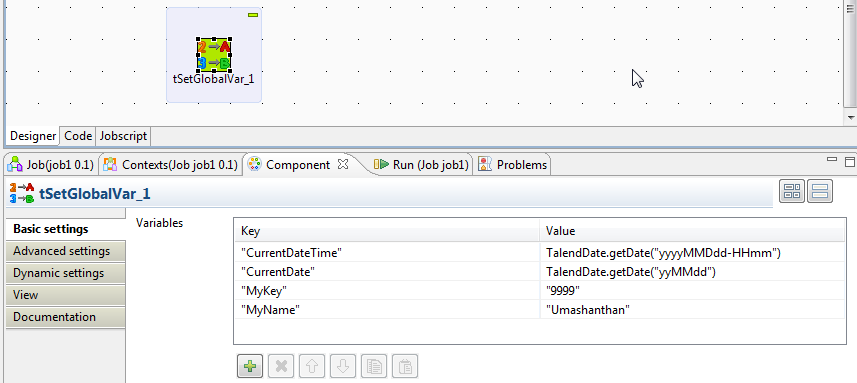
In the following screenshot, you can see that how to define global variables in tSetGlobalVar
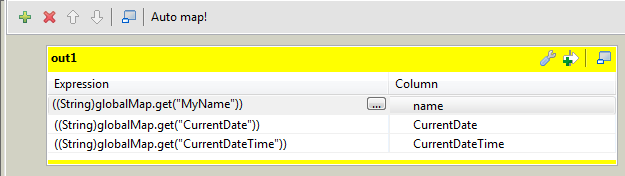
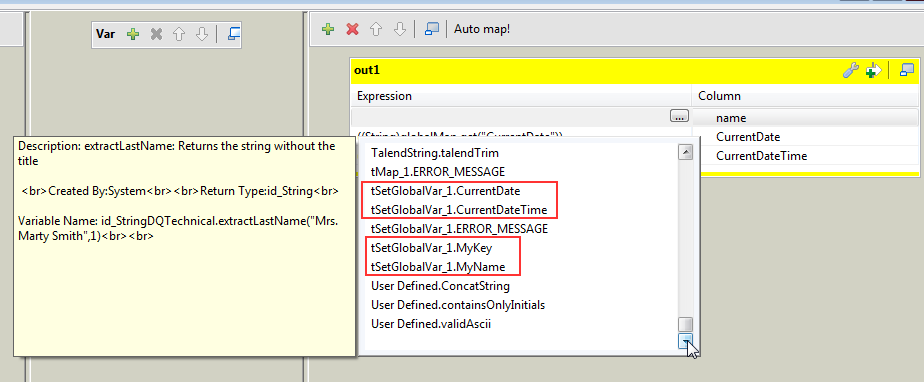
In the following screenshot, you can see that how to use Talend Global variable it in tMap
In the following screenshot, you can see that how to use Talend Global variable in tJava.
In the similar way you can use in many other components.
Cheers!
Uma

Monday, December 14, 2015

How to export image / blob-type data from SQL Server to File system using Export Column in SSIS

The Export Column Transformation is a transformation that exports data to a file from the Data Flow. The Export Column Transformation Task is used to extract blob-type data from fields in a database and create files in their original formats to be stored in a file system or viewed by a format viewer, such as Microsoft Word or Microsoft Paint.


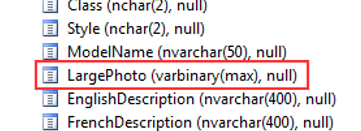
In the following example, you’ll use existing data in the AdventureWorksDW database to output some stored documents from the database back to file storage. DimProduct table has a column called  LargePhoto which is varbinary (max).


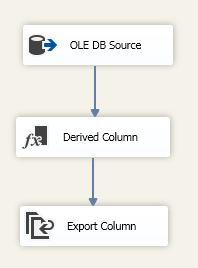
Create a simple package something similar to this


Create a directory with an easy name like C:\demo\SSIS\Export that you can use when exporting these pictures.


Create a Derived Column Name named FilePath


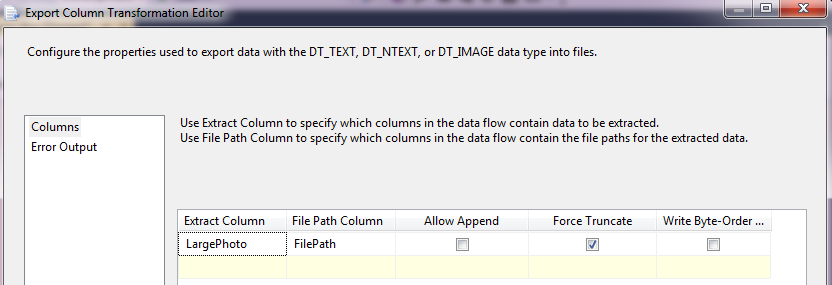
Set the Extract Column equal to the [LargePhoto] field, since this contains the embedded GIF image. Set the File Path Column equal to the field name [FilePath]. Check the Force Truncate option to rewrite the files if they exist.


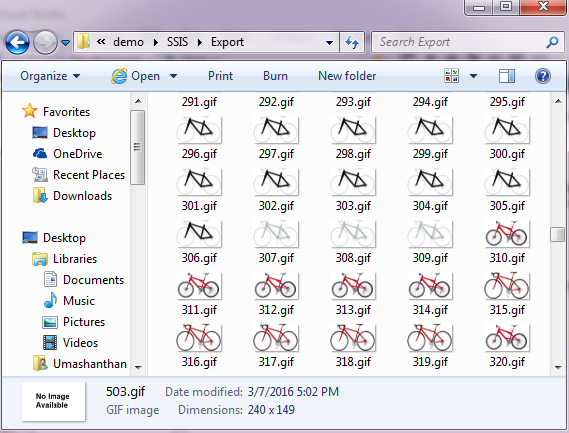
One you run, all the images will be export into the target location.


Cheers! Uma

How to import XML Data in SSIS

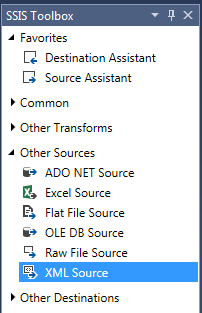
The XML source is a powerful SSIS source that can use a local or remote (via HTTP or UNC) XML file as the source. This source component is a bit different from the OLE DB Source in its configuration.
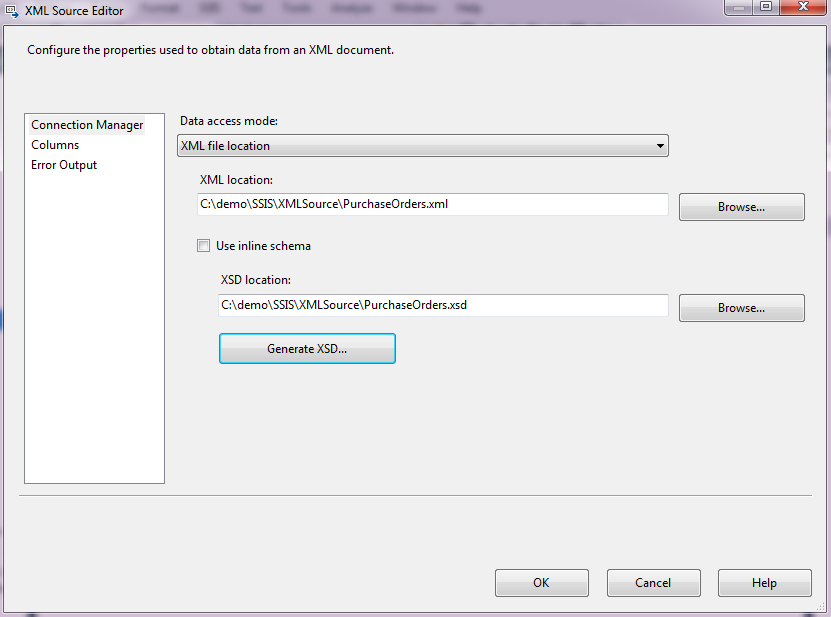
In the below example, I am using sample "purchase order" and "customers and orders" XML files which can be downloaded from the MSDN site: http://msdn.microsoft.com/en-us/library/bb387034.aspx and http://msdn.microsoft.com/en-us/library/bb387025.aspxrespectively. You can generate XSD file using XML source component.
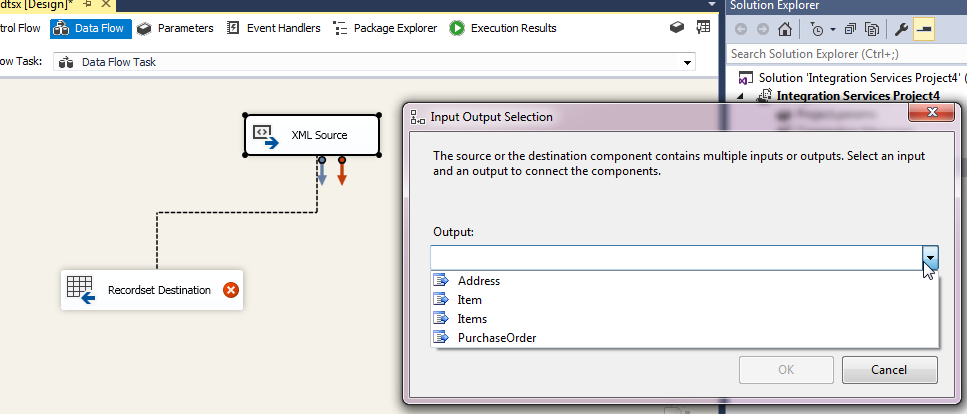
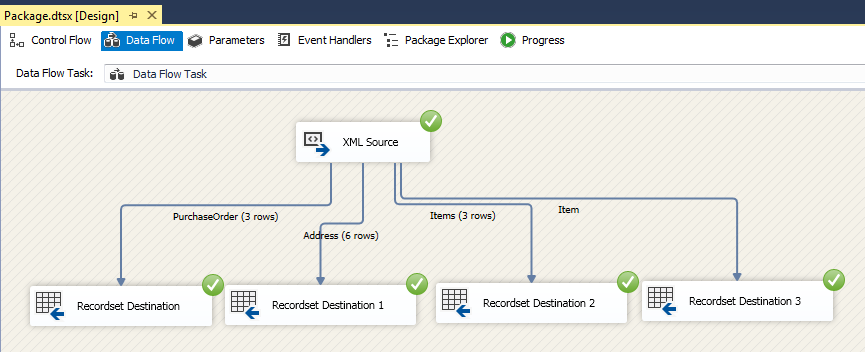
In this XML file you can noticed that, four level or nodes available.
XML source automatically identify and display the Nodes and its value and attributes.
Each tabular set can be loaded individually into its own table.  Thus, we actually can add multiple any kind of destinations, and split the data flow accordingly.
Cheers!
Uma

Sunday, November 29, 2015

Basic information about Hadoop system and it's function

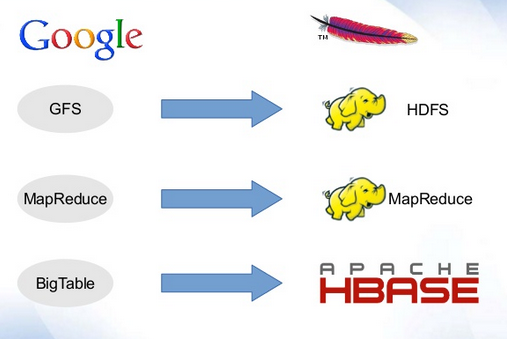
This post contains basic information about Hadoop and it's function. This content and images are collection of many already available posts. You can simply understand Hadoop terms by comparing Hadoop and Google terms. Because Hadoop is inspired by the Google techniques.
What is HDFS and why it is special?
The Hadoop Distributed File System (HDFS) is designed to reliably store very large files across machines in a large cluster. The HDFS is the primary storage system used by Hadoop application. In initially Yahoo was enhanced the GFS and released as HDFS.
Traditional file system block size is 4KB, but HDFS file block size is 64MB default, this can be increased up to 128MB. There are many other advantages HDFS file system over traditional file system. Note that this HDFS file system only useful when we handle with large size file.
First advantage is, Free space can be used to store other data, for example if you want to store 2KB file, it store in a block which is 4KB, inside this blog 2KB space is free, however this space cannot be used by other purposes by traditional file system, but HDFS file system is support to use this free space within a blog. For example if 30 MB File stored in a blog then excess 34MB Space will be used for other data storing.
Second important advantage is, less space for metadata when storing large file. Big blog size 64Mb reduce overhead for Name node, metadata less, less storage for name node. In traditional file system data split into so many 4KB chunks and need more space to store metadata of these chunks. More space is required to store metadata as well as file retrieval also will take more time. For example, if you need to store the 1GB File, only just 16 block are required (1024/64) in HDFS system for the block size 64MB, but in traditional file system 262144 (1024*1024/4) blocks are required.
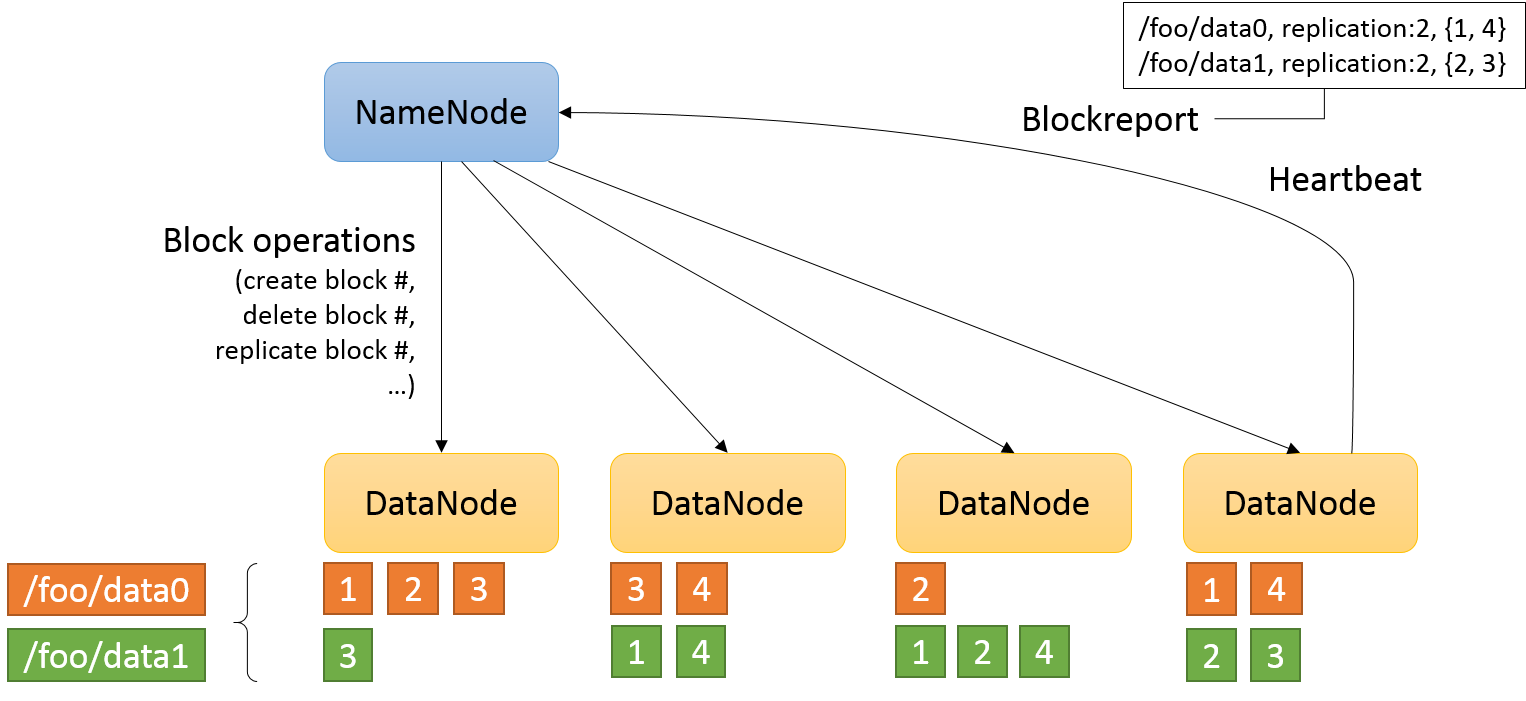
Third advantage is provides reliability through replication. Each block is replicated across several Data Notes. By default HDFS set for 3 replication. If you store 64MB file, this will be store in three Nodes same file in a Block in the cluster system. If one data node down, no worries replicate data there, but if name node down no way. This is called single point of fail over.

http://web.cs.ucla.edu/~alitteneker/CS239/images/image01.png
How HDFS system functioning
HDFS has five main services
  • Name node
  • Secondary Name mode
  • Job Tracker
  • Data node
  • Task Tracker
First 3 are master service and last 2 are slave services. In this system Name note talk to Data note and Job tracker talk to Task tracker.

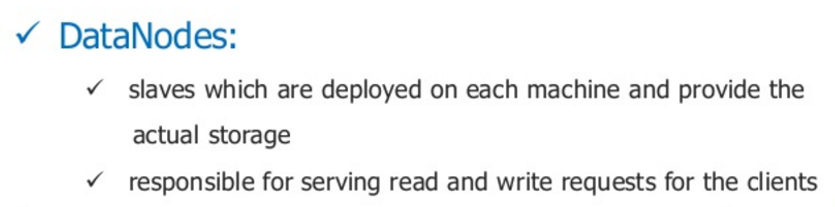

Actual data store in Data notes and Name note used to store Meta data
Secondary Name node is used in failure of main Name node

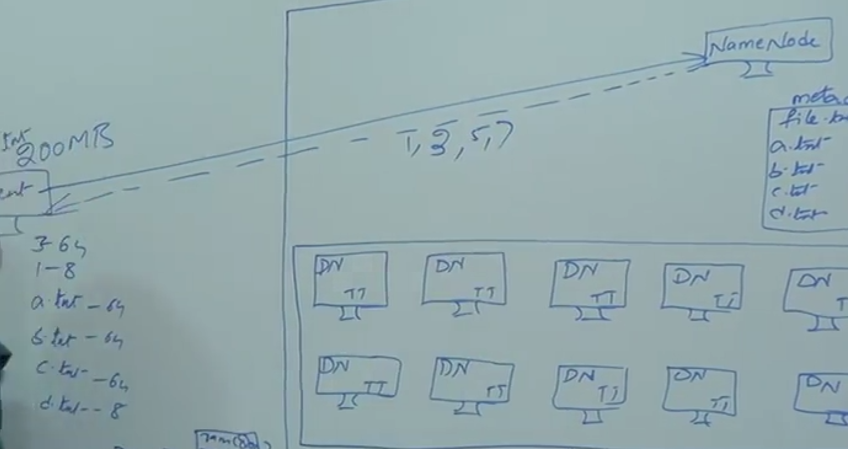
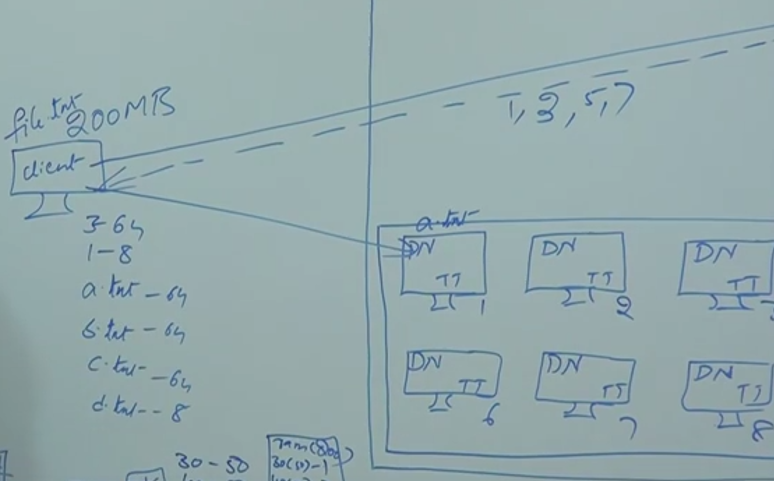
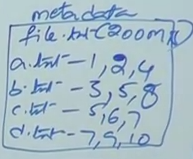
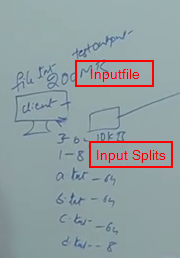
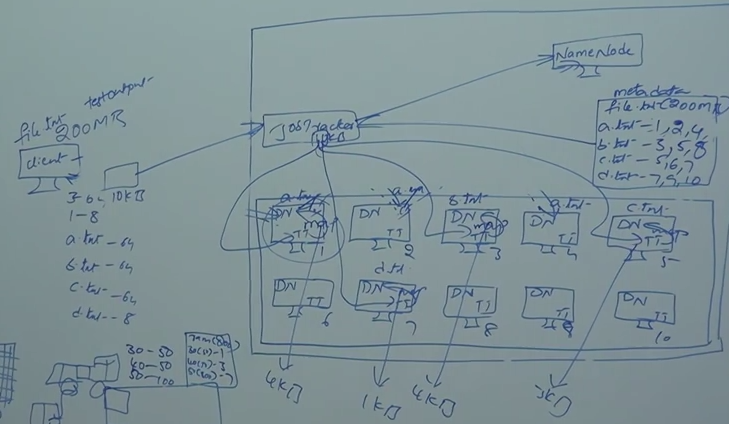
Let’s see with the example, how this system is functioning. In 200MB file needs to store in 64KB block size, in this file is chunked as 4 small file, which would fit to HDFS block size. Assume that those 4 files are a.txt (64MB), b.txt (64MB), c.txt (64MB) and d.txt (8MB).

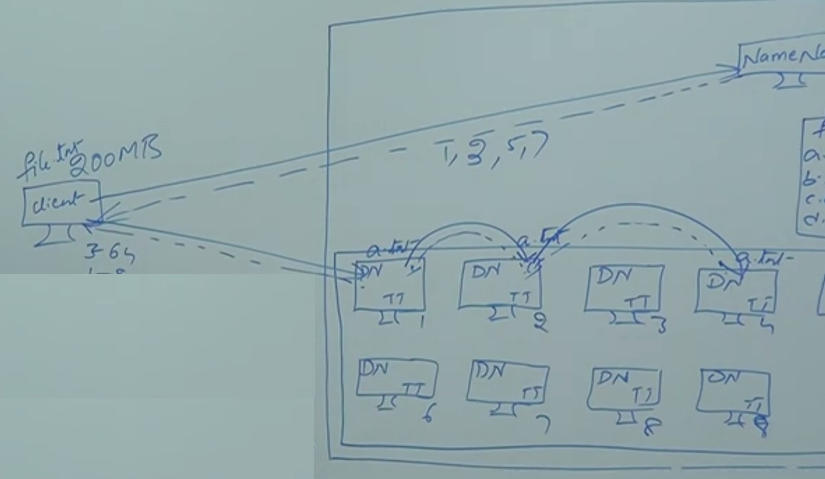
Client communicate with Name Note
Name not will give responds to client which location data needs to be stored
For example if 1,3,5,7 then a.txt will be stored under Data node 1
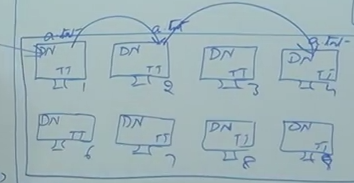
What will happened if Node 1 is going to down where a.txt saved. To make the availability by default it gives 3 replication by default, a.txt file will be copied into another 2 notes, for example Node2 and Node4.
Acknowledgement will be given after each saved on noted (dot dot line)
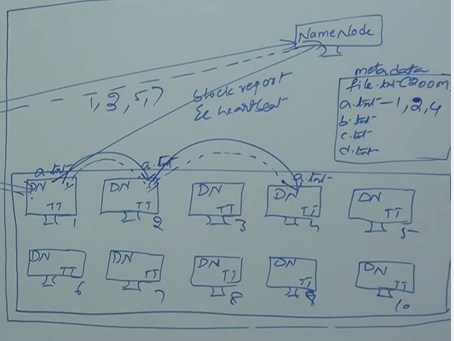
How this name notes know which notes this a.txt file saved
All the slave notes give proper blog reports to Name node every sort period of time, to say that some client store data on it and still alive and processing properly (heart beat)
Blog report will update on Name node
Some other important points are:
200 MB file will be store in 600MB space because of REPLICATION
Based on slave notes heard beat Name note will update the meta data. For example if note 2 is down then it remote note 2 for a.txt, and name note will choose another not to store a.txt
When note come back alive, but that data note don’t have any more data, it will start as fresh.
Map reduce:
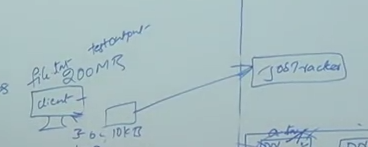
Let say you have written a 10 KB program, you need to bring 200MB data to client so send the 10KB program to HDFS. Here on ward job tracker will handle.
 
No communication between job tracker and data notes
Job tracker assign task to Task tracker
Task tracker will be chosen based on nearest one.
For example 10 KB program will be assign/send to task tracker 1 in node1- This process called map
200MB file = a.txt, b.txt, c.txt and d.txt
Job taker send 10 KB program to node1 for a.txt, note3 for b.txt , note 5 for c.txt and node 7 for d.txt. THIS IS CALLED MAP
Input file = 200 MB (this will split into a, b,c and d)
Input splits = a.txt, b.txt, c.txt and d.txt
No of file splits = no of map process
Any case any of the task tracker not able to process, then job tracker will assign to another task tracker
All these task trackers are slave service for job tracker, so task trackers gives heard beat back to job tracker every 3 minutes.
If particular task tracker is busier, job tracker will decide to change the task tracker
Job tracker can monitor all the task trackers
If job tracker down all the process data will be lost for that Name node and Job tracker node we use high reliable hardware.
Task tracker find the information about this files and output will be store, for example output files 4KB,1 KB,4KB,3KB. One the information find each and every Name node separately, the output file will be used by reducer.
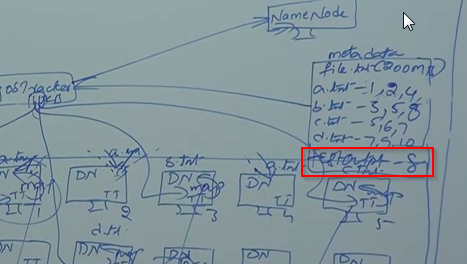
Reducer can be any node, if node 8 process reduce then it will put the final output in node 8 and update to node 8.
Instead of copy whole data and process, program is sent each node and find the output separately and finally combine the output.
Cheers!
Uma
Friday, November 27, 2015

Why TempDB is growing while SSIS job is running

One of my client raised an issue that their production tempdb is growing when SSIS package runs. This put me into confuse because generally SSIS not using tempdbs of SQL instances at all. Tempdb holds the intermediate data when SQL Server is doing tasks like:
  • DBCC CHECKDB or DBCC CHECKTABLE;
  • Common Table Expressions (CTE);
  • ORDER BY, GROUP BY, UNION Queries;
  • Index rebuild or creation.
Only one task was matched to my scenario that Index rebuild and creation. Yes finally found that the reason was not SSIS and the reason was destination tables have so many indexes.
The following answers/post were helped me to find the reason.
https://ask.sqlservercentral.com/questions/46812/does-ssis-use-tempdb.html
I am trying to understand the use of tempdb by SSIS to see if we would benefit from having a server dedicated solely to running SSIS packages. Are there situations were SSIS would need to use a tempdb apart from the tempdb located on servers defined by package connections. That is to say, if my SSIS machine is Server A, and it is performing an ETL from Server B to Server A, are there situations where the SSIS package would need to use the tempdb on Server A?
As you wrote if you have Server A - SSIS and then Server B and Server C - SQL Instances and moving data from B to C using SSIS, then SSIS will not use a tempdb on the Server A if there is also a SQL instance installed.
Generally SSIS does not utilize a tempdbs of SQL instances at all. Only if SSIS executes some SQL statements against the SQL instance then depending on the nature of the statement the tempdb can be utilized to accomplish that statement.
On the other side even SSIS does not utilize temp db directly, it can utilize a space on the Server A if it runs out of memory. SSIS uses a temp files for it's internal purposes. If have a Data Flow task in the package and take a look on the properties of the Data Flow Task, you will find there a BufferTempStoragePath and BLOBTempStoragePath, where you can specify the path where the temp files will be stored in case of hi memory pressure. The same relates to the Cached Lookups or Cache Transformation. Whenever the amount of data doesn't fit the process memory, it will be stored into temp files.
When you do not specify those properties, then a default temp location of an account under which the SSIS package is being executed will be used. Therefore it is important to set the temp location correctly for the accounts in case you have say a small system drive and big data drive as the default temp location for accounts is on the system drive.
https://social.msdn.microsoft.com/forums/sqlserver/en-US/f149300e-d357-40da-bb11-a1c0f1e82f6b/ssis-package-causes-tempdb-to-run-out-of-space
An OLE DB record is available. Source: "Microsoft SQL Native Client" Hresult: 0x80004005 Description: "Could not allocate space for object 'dbo.SORT temporary run storage: '...' in database 'tempdb' because the 'PRIMARY' filegroup is full. Create disk space by deleting unneeded files, dropping objects in the filegroup, adding additional files to the filegroup, or setting autogrowth on for existing files in the filegroup."
The destination is sql 2000. The package does not create any large temp tables.
apart from setting MaxInsertCommitSize property on the destination in Data Flow, is there anything else I could do? Where do I find this MaxInsertCommitSize option?
There may be several reasons for running out of space in TEMP db. One could be that the table you are loading has indexes; then the DB engine will use the TEMP DB to perform sort operations.
I would use the equivalent of a SQL Profiler to monitor the activity in the target DB and find out what exactly is happening. Also, what are the space allocation setting in the TEMP Db?The bottom line is that this issue looks more ralated to the destiantion DB engine than to SSIS
Cheers!
Uma
Thursday, November 26, 2015

What the difference between tMap Catch Lookup Inner Join Reject and Catch Output Reject

In tMap there are two type reject links options available.
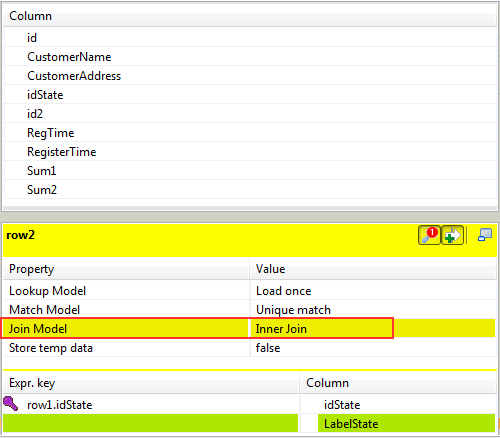
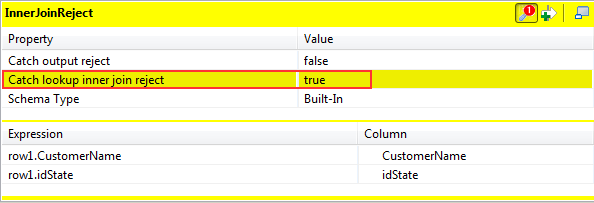
  1. Catch Lookup Inner Join Reject: This option, once activated, allows you to catch the records rejected by the inner join operation performed on the input flows.
  2. Catch Output Reject: This option, once activated, allows you to catch the records rejected by a filter you have defined in the appropriate area.
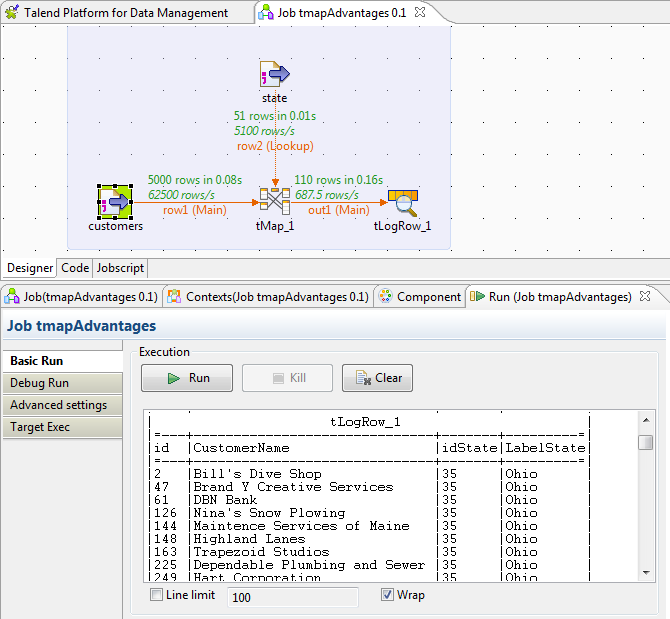
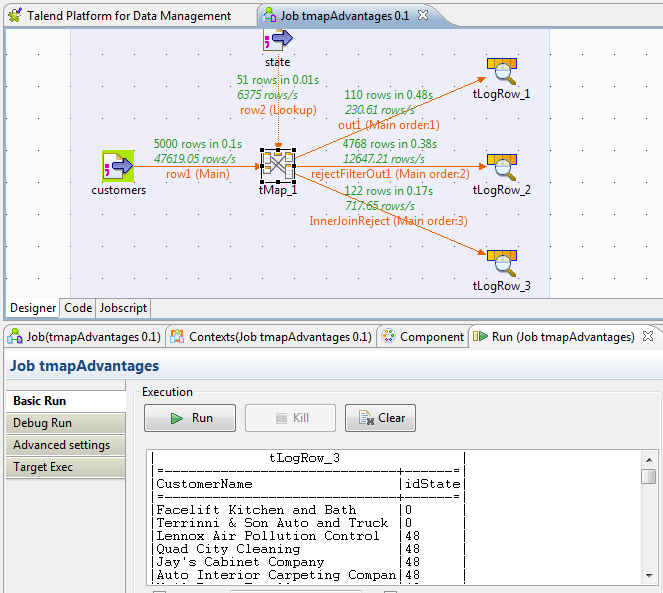
The following example will make you more clearly about the differences. Create a job with main and lookup flow as shown below.
In the tMap editor:
Click the white arrow on each table to display the filter fields.
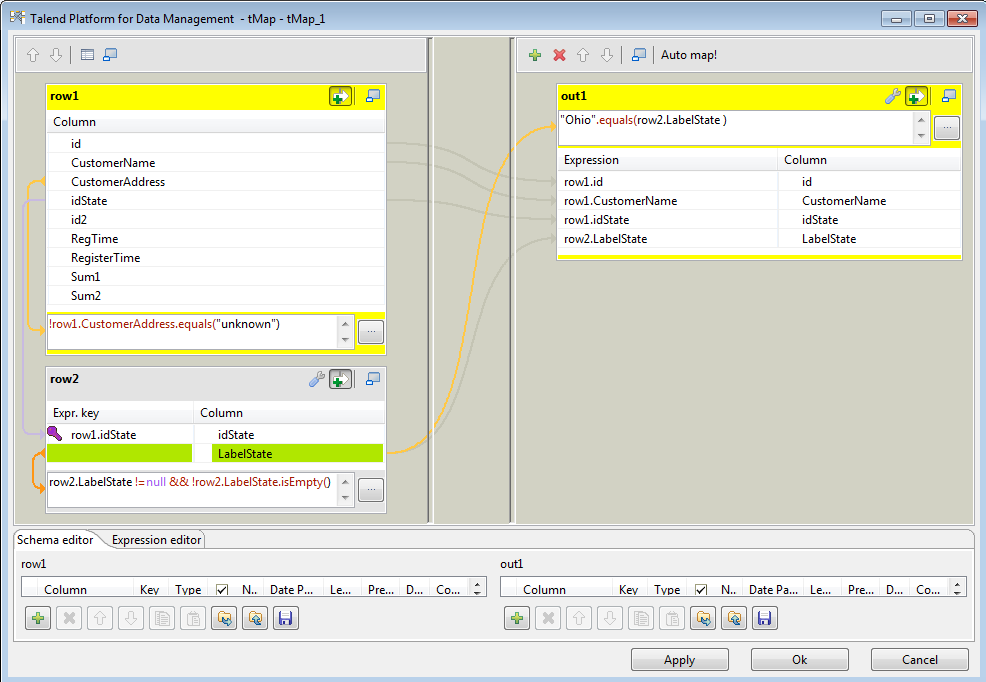
In the customer table, type !, press Ctrl+Space, click row1.CustomerAddress in the autocompletion list and type the Java syntax.equals("unknown").
In the state table, type state.LabelState !=null && !state.LabelState.isEmpty() to avoid null and empty fields.
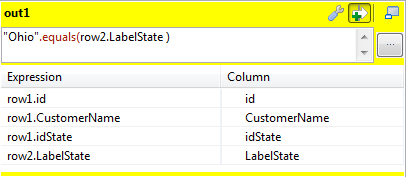
In the out1 table, type the Java syntax"Ohio".equals() and press Ctrl+Space and, between the brackets, click state.LabelState in the autocompletion list.
Click OK

Run the job, you will see the output as shown below, only “Ohio” State data only will be flow over out1.
Now let see how to catch the rejected records by the filter.
In the tMap editor:
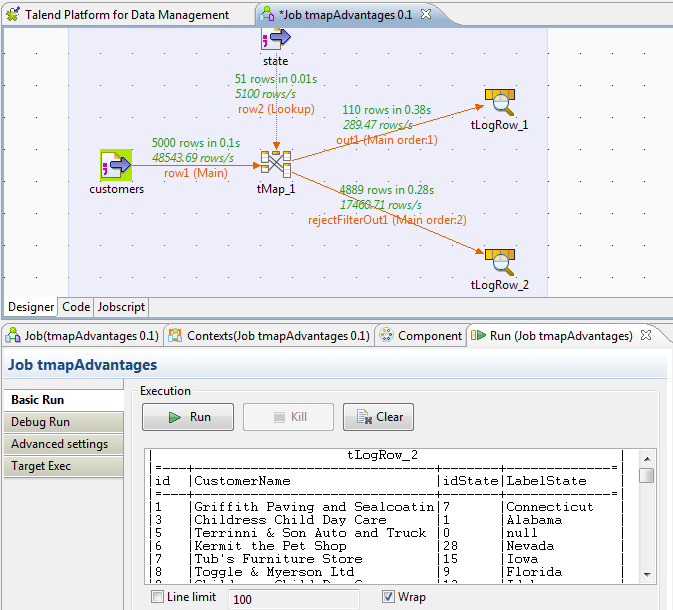
Click (+) on the toolbar above the out1 table, to add a new output table. In the Add a new output table wizard, type the name you want to give to the table (rejectFilterOut1). Click OK.

In the rejectFilterOut1, click the wrench button and change the Catch output reject option to true to collect all the data rejected by the out1 output filter.
Run the job, you will see all the records which are rejected by filter flow through rejectFilterOut1.
You can see that the Job is working, but still few more records are missing. These were rejected by Inner Join not the output filter. We want to put them in a different output.
Create new output and For the Catch lookup inner join reject property, select the true value.
If you run the job, you will see all the records are passing.
Cheers!
Uma