Power BI Premium, Premium Per User, and Power BI Embedded workspaces support open-platform connectivity from Microsoft and third-party client applications and tools by using an XMLA endpoint.
What's an XMLA endpoint?
Workspaces use the XML for Analysis (XMLA) protocol for communications between client applications and the engine that manages your Power BI workspaces and datasets. These communications are through what are commonly referred to as XMLA endpoints. XMLA is the same communication protocol used by the Microsoft Analysis Services engine. Data sent over the XMLA protocol is fully encrypted.
It's a Power BI capacity setting. The XMLA Endpoint setting applies to all workspaces and datasets assigned to the capacity.

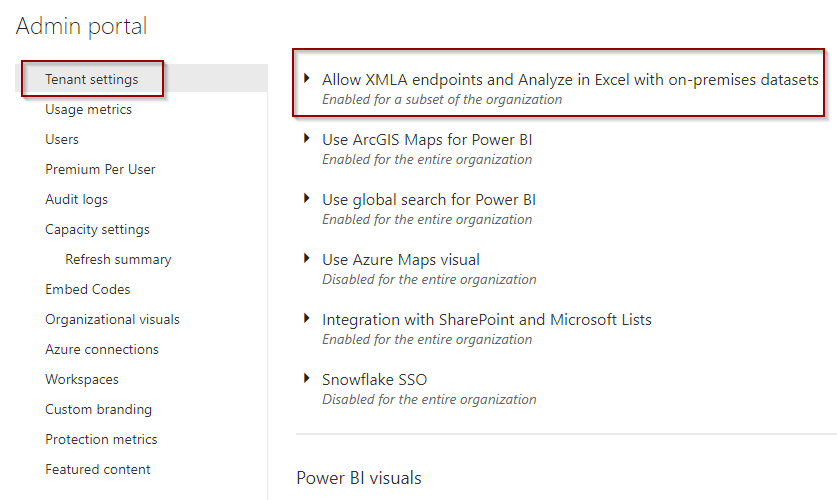
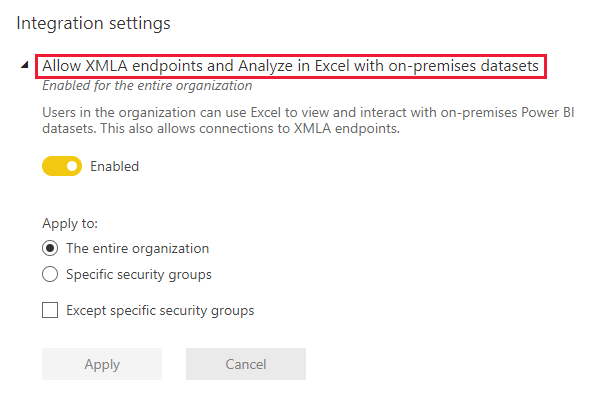
Another special Tenant setting for Excel analytics: Allow XMLA endpoints and Analyze in Excel with on-premises datasets is an integration setting.
The read-only connectivity using the endpoint is enabled for the Datasets workload in a capacity. With read-only, data visualization applications and tools can query dataset model data, metadata, events, and schema.
The Read-write operations using the endpoint can be enabled providing additional dataset management, governance, advanced semantic modelling, debugging, and monitoring. With read-write enabled, datasets have more parity with Azure Analysis Services and SQL Server Analysis Services enterprise grade tabular modelling tools and processes.
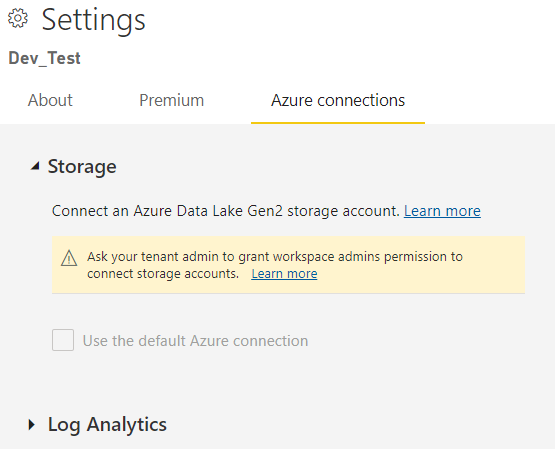
You can get the XMLA link under Power BI workspace settings:

Workspaces assigned to a capacity have a connection string in URL format like this,
powerbi://api.powerbi.com/v1.0/[tenant name]/[workspace name].
Applications connecting to the workspace use the URL as if it were an Analysis Services server name. For example,
powerbi://api.powerbi.com/v1.0/contoso.com/Sales Workspace.
Users with UPNs in the same tenant (not B2B) can replace the tenant name with myorg. For example, powerbi://api.powerbi.com/v1.0/myorg/Sales Workspace.
B2B users must specify their organization UPN in tenant name. For example,
powerbi://api.powerbi.com/v1.0/fabrikam.com/Sales Workspace.
Using SSMS studio, you must use Azure Active Directory username and password, unless AAD integrated with Organization account. You need to make sure you have an appropriate permission to connect.

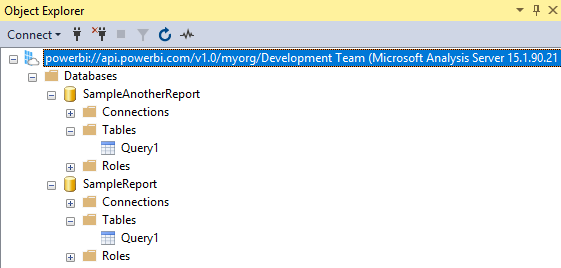
You can connect using many tools
- Visual Studio with Analysis Services projects
- SQL Server Management Studio (SSMS)
- SQL Server Profiler
- Analysis Services Deployment Wizard
- PowerShell cmdlets
- Power BI Report Builder
- Tabular Editor
- DAX Studio
- ALM Toolkit
- Microsoft Excel
- Third party
You can read more updated details here
https://docs.microsoft.com/en-us/power-bi/admin/service-premium-connect-tools
Cheers!
Uma