Showing posts with label SQL Server. Show all posts

Tuesday, March 23, 2021

How to replace invisible ASCII special characters or control characters

One of the common challenges of transforming data that could get complicated is the removal of ASCII special characters such as newlines or tabs. In this blog, we take a look at some details about the ASCII characters and ways of removal. Let’s look at the type of ASCII character that involves & ways to replace data transformation. Mostly we can use the REPLACE command to clear these but need more understanding to identify the special characters.

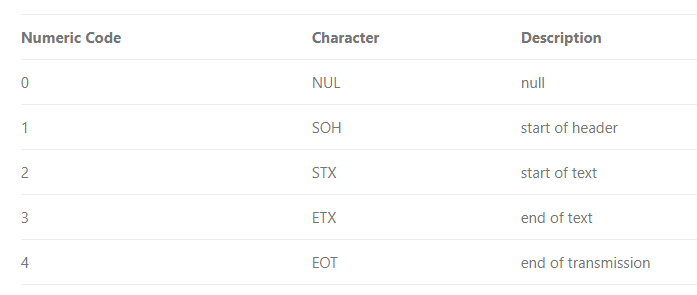
ASCII function: Returns the ASCII code value of the leftmost character of a character expression.

CHAR function: This function converts an int ASCII code to a character value.
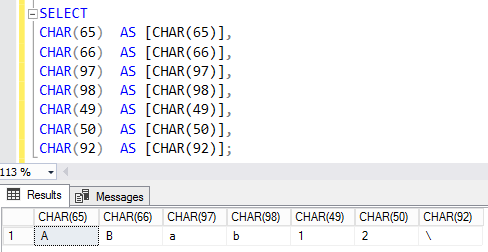
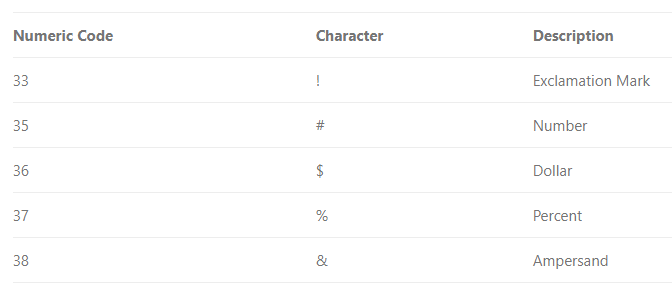
Commonly used ASCII Printable Characters

Control characters

Use CHAR to insert control characters into character strings. This table shows some frequently used control characters.
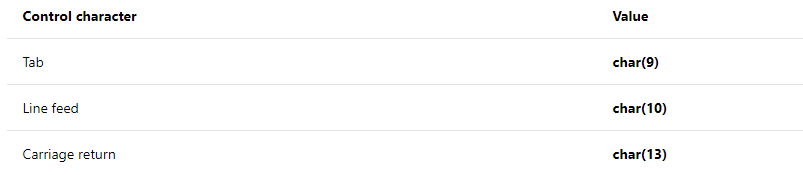
This example uses CHAR (13) to print the name and e-mail address of an employee on separate lines, when the query returns its results as text. 

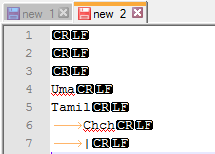
Another important thing is to identify the special characters, most of these control characters are not visible in usual applications.

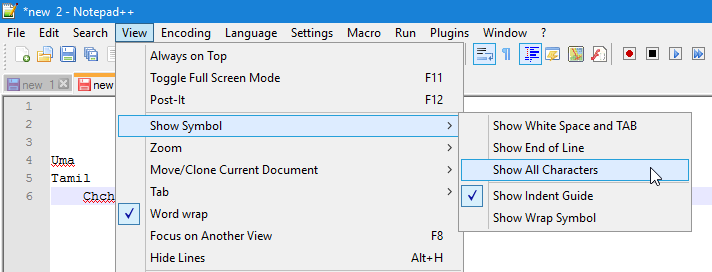
To view ASCII control characters, you can use Notepad++ or SSMS

In Notepad++ enable Show All Character option.
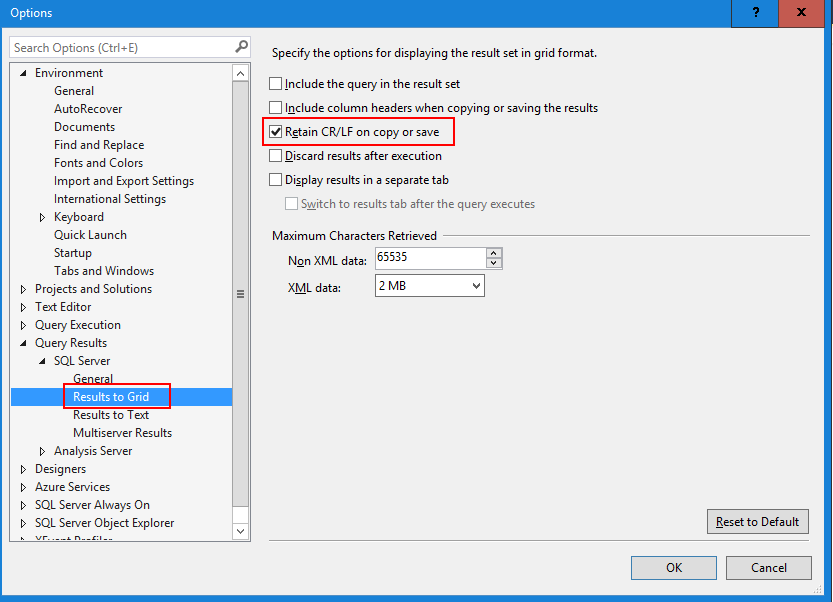
In SSMS enable Retain CR/LF on copy and save option.
Cheers!
Uma

Wednesday, July 11, 2018

What are the use of Collation in SQL SERVER?

What is the use of Collation in SQL SERVER?
SQL Server collation is a configuration setting that determines how the database engine should treat character data at a server, database, column level, or casting operation.
Collation name can be either a Windows collation name or a SQL collation name. All SQL Server collation names begin with SQL_. 
--Get all the collations
SELECT name, description
FROM sys.fn_helpcollations()
--SQL Server Collation
SELECT SERVERPROPERTY('collation')
--Database collation
SELECT name,collation_name
  FROM sys.databases
  WHERE NAME like '%Adventureworks%'
SQL Server Level Collation
The first is to provide a character set that defines the bit patters. SQL Server stored character data using either one byte or two-byte per character, depending on the column’s data type and assigned collation. For example, European languages require only a single-byte character set, which supports up to 256 bit patterns. On the other hand, many Asian languages include thousands of characters and require a double-byte character set, which supports up to 65,536 bit patterns.
Column Level Collation
As with database definitions, you can add the COLLATE clause when defining a character column. In this way, you can apply a specific collation to the column’s data, without impacting the rest of the database.
Sorted differently using Collation
The following example creates a simple table and inserts 4 rows. Then the example applies two collations when selecting data from the table, demonstrating how Chiapas is sorted differently.
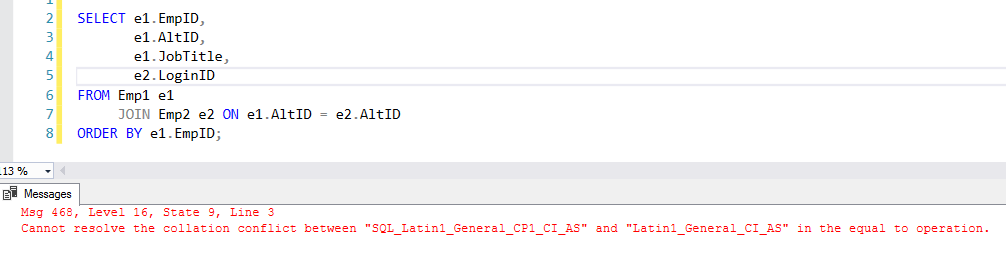
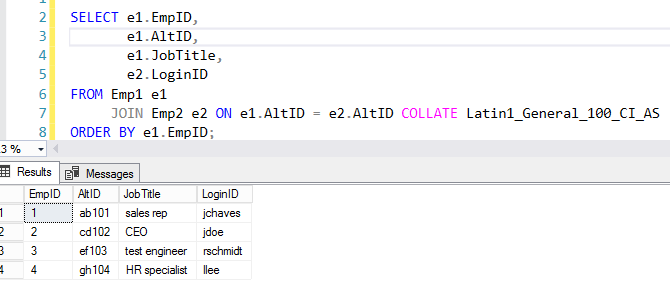
Join differently using Collation
Sometimes you need to join tables that use different collation. In this case, you can use collation in the join.
Cheers!
Uma