Showing posts with label SSIS. Show all posts

Thursday, September 16, 2021

How to retrieve data from Snowflake database in SSIS

First you need to install SnowflakeDSIIDriver and set up an ODBC data source. You can find more details about the driver and the connection details here https://docs.snowflake.com/en/user-guide/odbc-windows.html

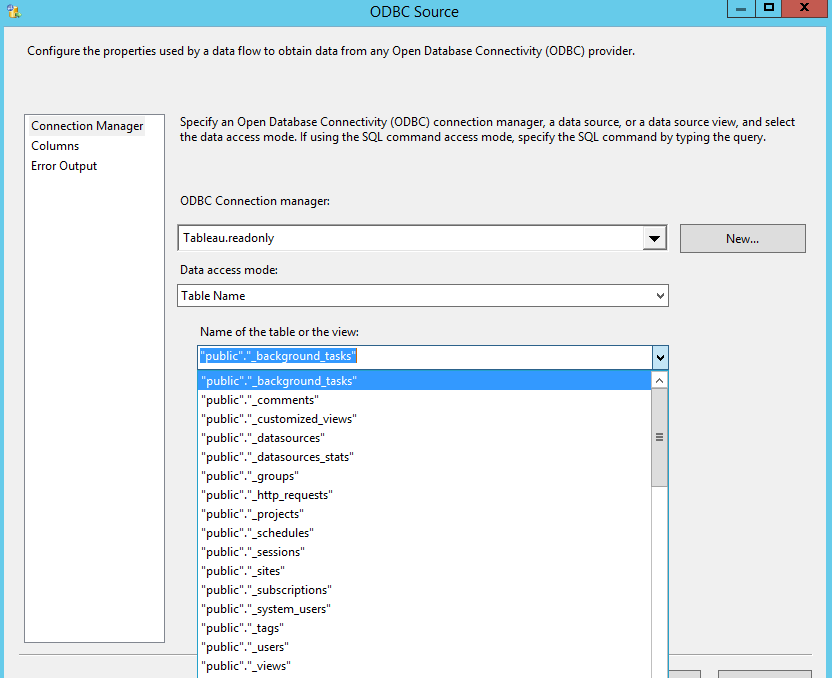
Use ODBC source in SSIS package.

If you find any performance issues due to most of the fields are in "DT_TEXT", then use CASE statement to convert as VARCHAR in SQL command.

Cheers!
Uma

Wednesday, November 4, 2020

How to load Tableau server repository data to SQL Server using SSIS

This post describes how to load a set of tables from the Tableau server repository. Tableau server repository uses PostgreSQL. You might need to install the PostgreSQL database drivers. You can download drivers from www.tableau.com/support/drivers.

Create a SSIS ODBC connection

Use ODBC connection in SSIS

Some useful tables are:

Cheers!
Uma

Saturday, July 4, 2020

Tuesday, March 24, 2020

Load data from Dynamic file name and Dynamic Sheet name Excel source using ACE.OLEDB in SSIS

If the Excel sheet name is dynamic, you might find it difficult to automate using SSIS. This post covers using Provider=Microsoft.ACE.OLEDB.12.0.  ACE has superseded JET. There are many posts using Provider=Microsoft.Jet.OLEDB.4.0, however the Jet engine can only access office 97-2003, but you cannot access office 2007 and later versions. In addition, ACE provides a 64-bit driver, so can be used on 64-bit machines, whereas JET cannot.

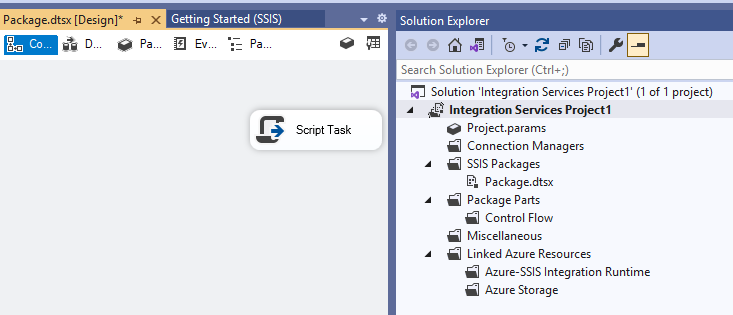
SSIS Script Task C# code

Add variables one for Excel full file path and other one for store dynamic sheet name
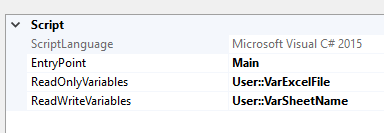
//add these 2 namespaces

using System.IO;

using System.Data.OleDb;

// TODO: Add your user Main()

public void Main()

{


            string fileToTest = Dts.Variables["User::VarExcelFile"].Value.ToString();


            string ConStr;

            string HDR;

            HDR = "YES";

            ConStr = "Provider=Microsoft.ACE.OLEDB.12.0;Data Source=" + fileToTest + ";Extended Properties=\"Excel 12.0;HDR=" + HDR + ";IMEX=0\"";


            OleDbConnection cnn = new OleDbConnection(ConStr);


            cnn.Open();

            DataTable dtSheet = cnn.GetOleDbSchemaTable(OleDbSchemaGuid.Tables, null);


            foreach (DataRow drSheet in dtSheet.Rows)

            {

                Dts.Variables["User::VarSheetName"].Value = drSheet["TABLE_NAME"].ToString();

                break;

            }


            MessageBox.Show(Dts.Variables["User::VarSheetName"].Value.ToString());


            Dts.TaskResult = (int)ScriptResults.Success;

}

In this case, I am interested in only one sheet, so I used break inside the foreach loop, if you are interested with multiple sheets, just add the logic under foreach.


If the excel file name is also dynamic, then you can use the following command to find the latest file name using Script Task.
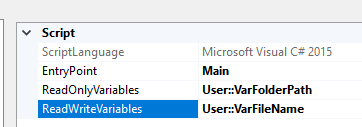

public void Main()

{

            // TODO: Add your code here

            var directory = new DirectoryInfo(Dts.Variables["User::VarFolderPath"].Value.ToString());


            FileInfo[] files = directory.GetFiles();

            DateTime lastModified = DateTime.MinValue;


            foreach (FileInfo file in files)

            {

                if (file.LastWriteTime > lastModified)

                {

                    lastModified = file.LastWriteTime;

                    Dts.Variables["User::VarFileName"].Value = file.ToString();                                   

                }

            }

            string filepath = Dts.Variables["User::VarFolderPath"].Value.ToString() + "\\" + Dts.Variables["User::VarFileName"].Value.ToString();


            Dts.TaskResult = (int)ScriptResults.Success;

}


Cheers!
Uma

Wednesday, April 10, 2019

How to hold or disable a SQL Agent Job until other SQL Agent Job to complete

There are instances that one job might cause issues with another job that runs parallel. In this kind of situation, it is better to hold or disabled the job until other jobs are completed.

Step 1: Disable the job

sp_update_job is used for changes the attributes of a job

@enabled - Specifies whether the job is enabled (1) or not enabled (0)


EXEC dbo.sp_update_job  

    @job_name = @job_name_1  

    @enabled = 0;

Step 2: Wait to finish already running job

WHILE EXISTS (

SELECT 1

FROM msdb.dbo.sysjobactivity

JOIN msdb.dbo.sysjobs

ON sysjobactivity.[job_id] = sysjobs.[job_id]

WHERE sysjobactivity.[session_id] = (  

SELECT TOP 1 [session_id] 

FROM msdb.dbo.syssessions 

ORDER BY [agent_start_date] DESC)

AND sysjobactivity.[start_execution_date] IS NOT NULL

AND sysjobactivity.[stop_execution_date] IS NULL

AND sysjobs.[name] = @job_name_2

)

BEGIN


    WAITFOR DELAY '00:00:15'

END


Step 3: Once the job is completed, you can re-enable the job

 EXEC dbo.sp_update_job  

 @job_name = @job_name_1  

 @enabled = 0;

Cheers!
Uma

Sunday, February 17, 2019

How to download email attachment from Exchange Server

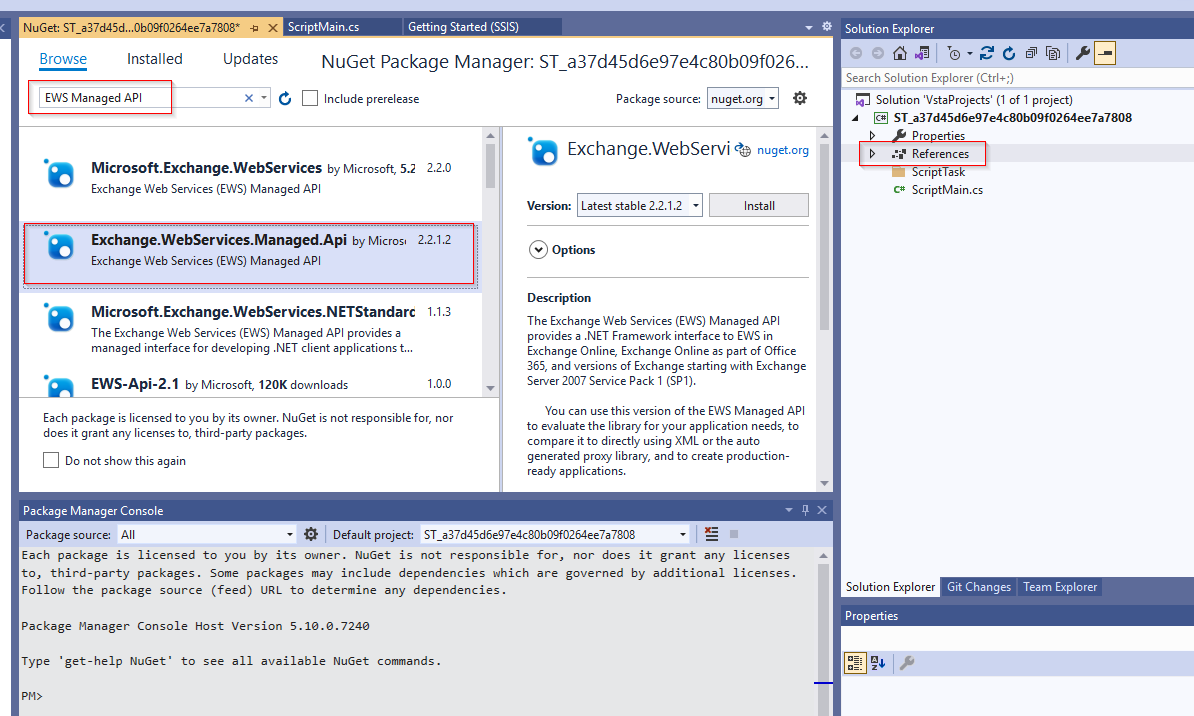
The EWS Managed API provides a simple and full-featured interface for developing and extending applications that use Exchange Web Services (EWS). Whether you are using Visual Studio or another code editor to develop your EWS Managed API application, you will need to make a reference to the EWS Managed API assembly. If you haven't installed the EWS Managed API already, be sure to download the API.

https://docs.microsoft.com/en-us/exchange/client-developer/exchange-web-services/how-to-reference-the-ews-managed-api-assembly

Add required parameters  as per your requirements

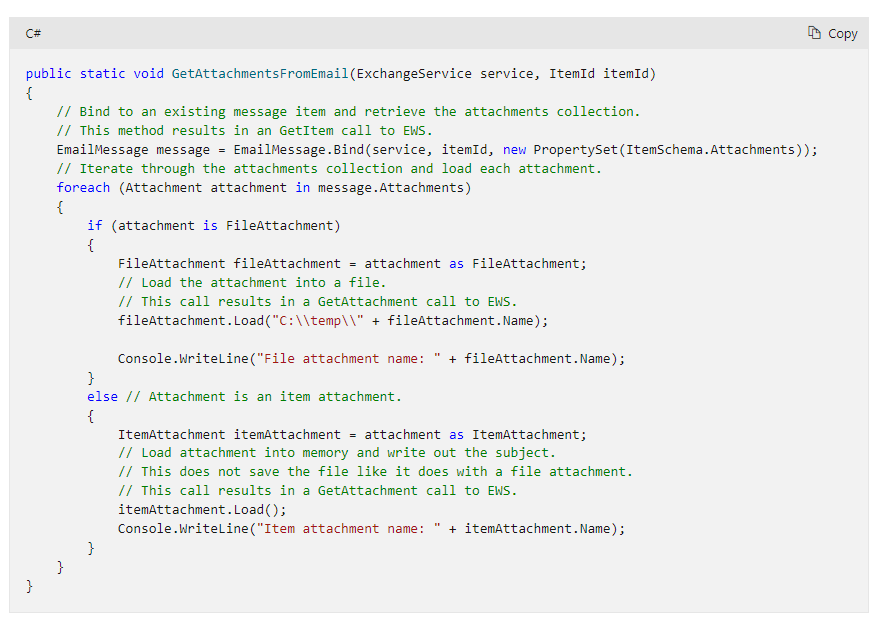
You can get the code from here

https://docs.microsoft.com/en-us/exchange/client-developer/exchange-web-services/how-to-get-attachments-by-using-ews-in-exchange


Thanks,
Uma

Wednesday, April 25, 2018

How to download email attachment into a local folder using SSIS

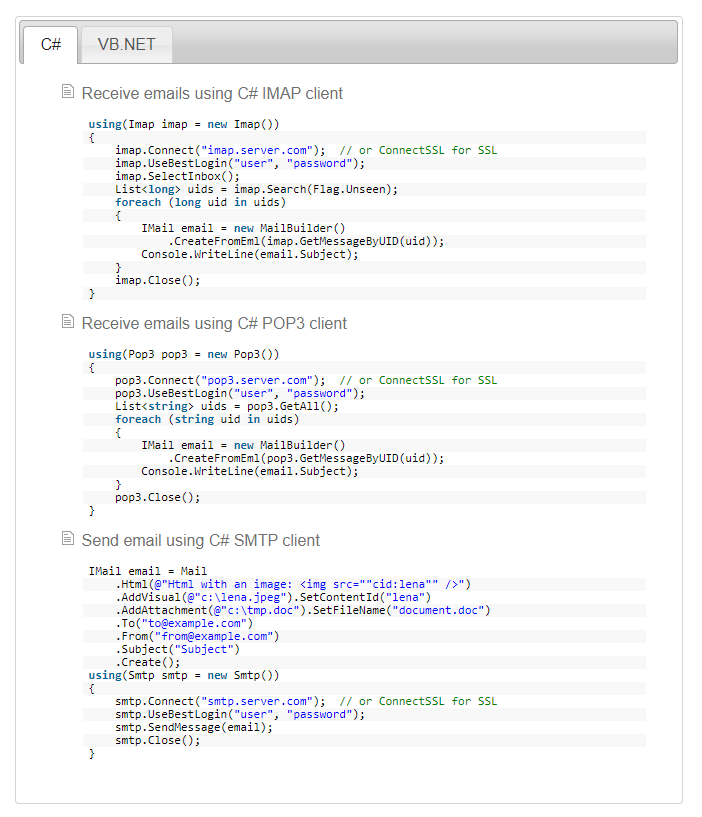
SSIS doesn’t come with any component to download the email attachments. The only way is use script task. You can use your own code or third-party libraries. If the business requirement is more complex I would recommend using third-part libraries rather write your own code. Limilabs Mail.dll .NET email component makes your jobs easy, you can read more details here https://www.limilabs.com/mail. You can find similar libraries and use it.

Add references and then add the following libraries based on your requirement

using Limilabs.Client.IMAP;

using Limilabs.Mail;

using Limilabs.Mail.Headers;

Cheers!
Uma

Wednesday, December 6, 2017

How to send email notification On Success and On Failure in SQL Agent job

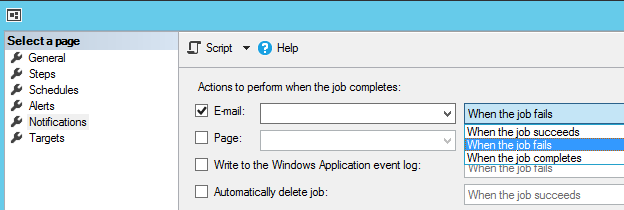
By default, you can set only one of the following options to send email in SQL Agent. Available options are:
  1. When the job succeeds
  2. When the job fails
  3. When the job completes
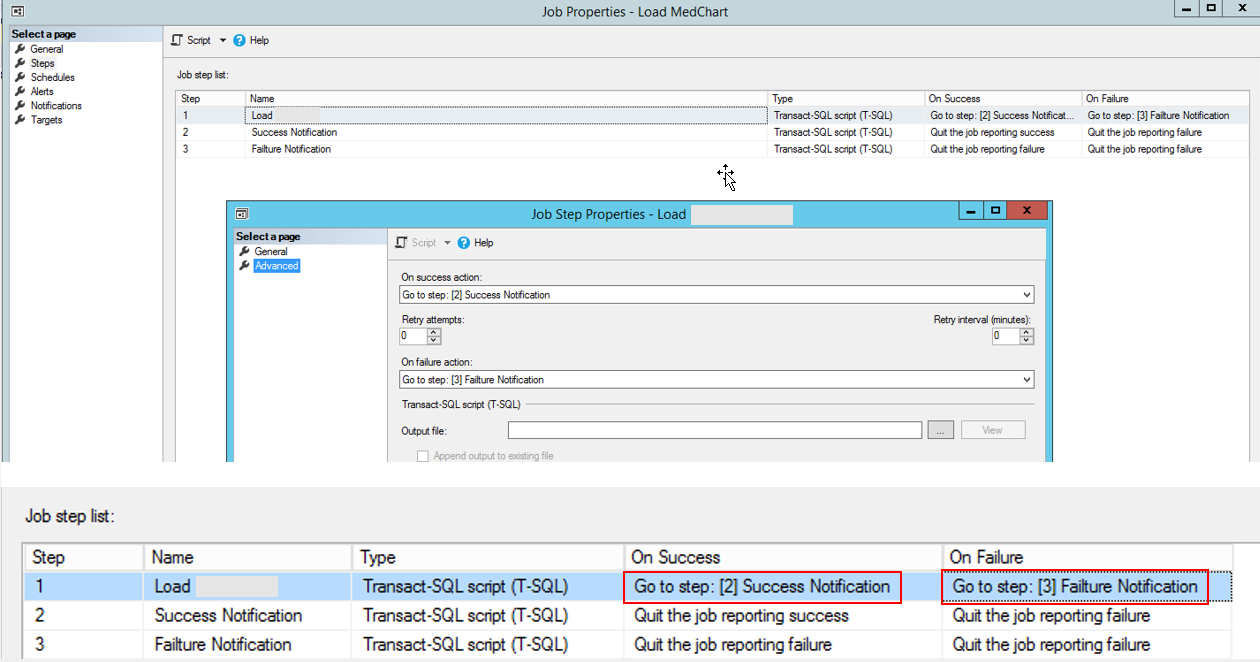
In most cases, this is not useful, because job might need varieties of emails such as on success or on failure. There are many ways to do this, however, the easiest way to do this just add multiple Steps and configure the main Step based on the event.
In this example, once the Load job success the Go to Step [2] and on the job failure Go to Step [3]
In here Step 2:
EXEC msdb.dbo.sp_send_dbmail  
@profile_name = 'DataWarehouse',  
@recipients = 'uma.bale@xxxx.co.nz,
@body = 'Data load successfully completed',  
@subject = Data load successfully completed’;


In here Step 3:
EXEC msdb.dbo.sp_send_dbmail  
@profile_name = 'DataWarehouse',  
@recipients = 'uma.bale@xxxx.co.nz,  
@body = 'Data load failed',  
@subject = Data load failed’;

If you want you can use single T-SQL step and send custom email notification based on the outcome. For this CASE statement or IF condition can be used.
Cheers!
Uma

Friday, April 7, 2017

Unique ID for SSIS package execution - Custom Logging

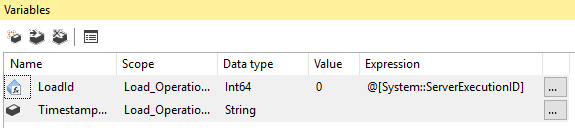
Usually Unique ID is created using Execute SQL Task in Master package and passing to child packages for custom logging purposes. Since SQL Server 2012 Project deployment model releases, you can use ServerExecutionID as unique id for whole execution.
ServerExecutionID is Execution ID for the package that is executed on the Integration Services server. The default value is zero. The value is changed only if the package is executed by ISServerExec on the Integration Services Server. When there is a child package, the value is passed from the parent package to child package.
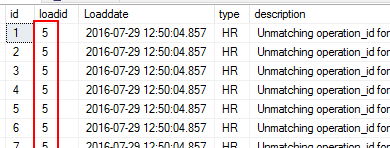
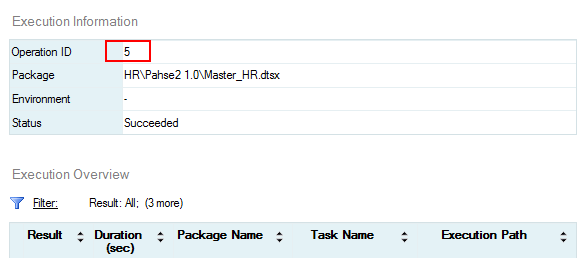
If you run in Visual studio, the ServerExecutionID value will be Zero, however if your run the package after deploy it in SSISDB this will generate Unique ID.
You can see the ServerExecutionID in SSISDB report as well.

Cheers!
Uma