Showing posts with label Gmail SMTP. Show all posts

Wednesday, October 19, 2016

How to configure Database Mail using Gmail SMTP account

Database Mail is an enterprise solution for sending e-mail messages from the SQL Server Database Engine. Using Database Mail, your database applications can send e-mail messages to users. The messages can contain query results, and can also include files from any resource on your network.
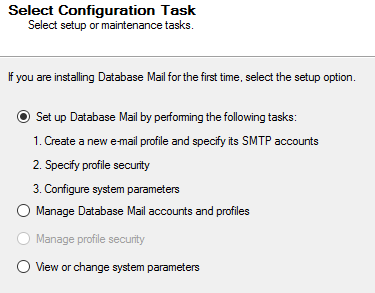
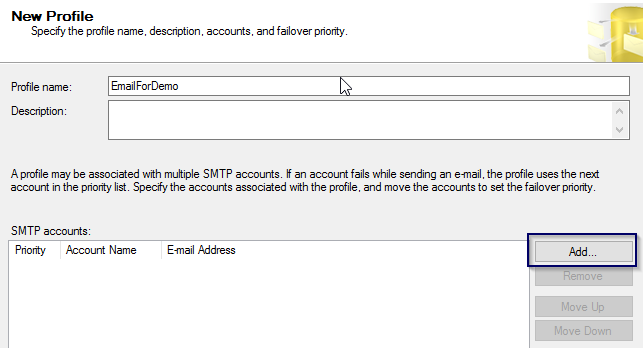
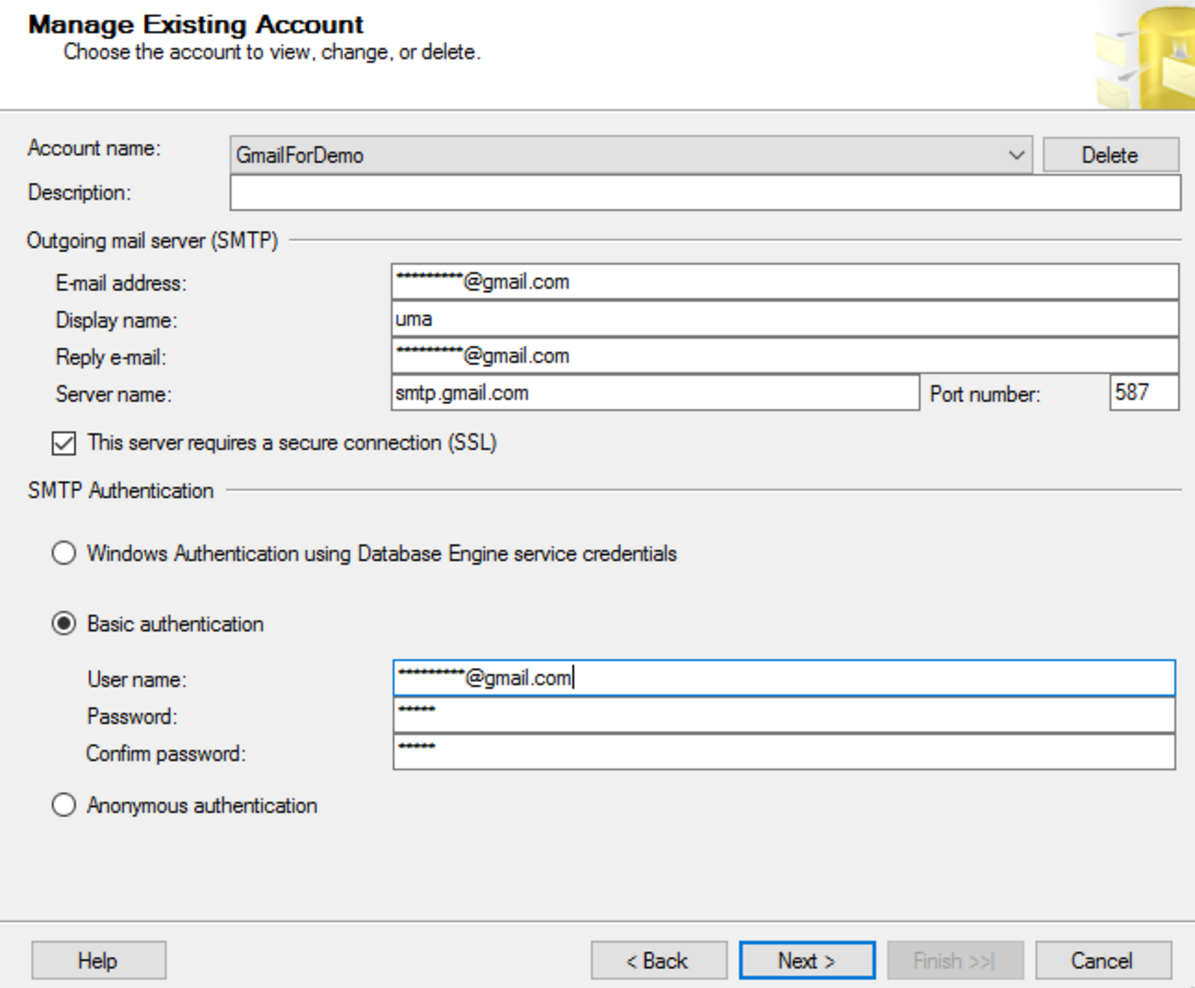
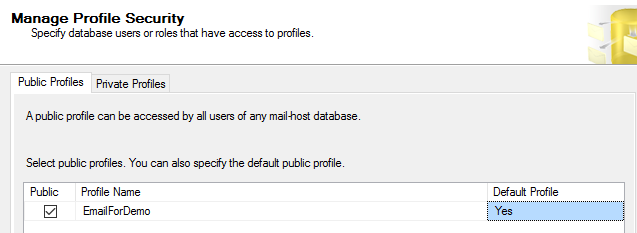
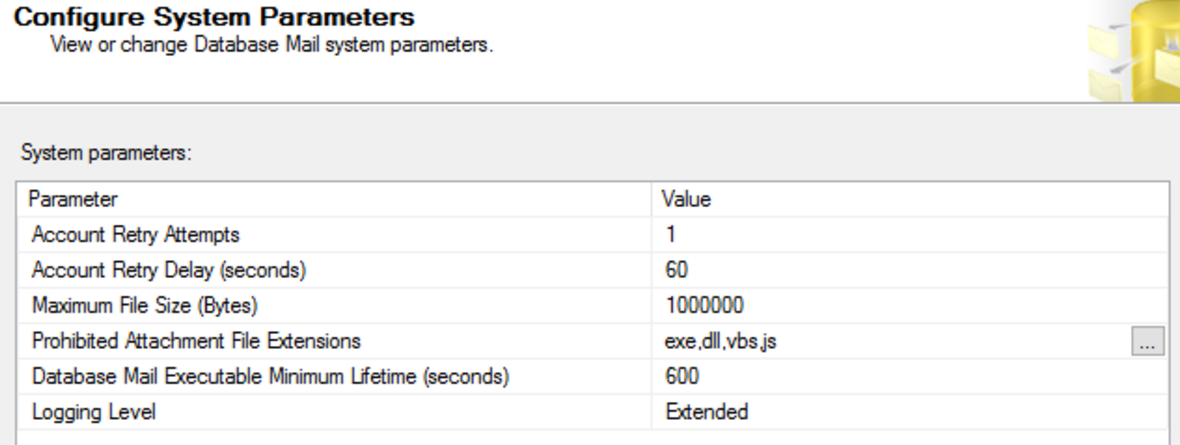
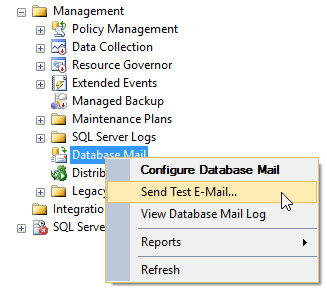
I have created this step by step guide Installation Guide. Images are used to explain the process easier.
Make sure you have ticked on SSL for Gmail account
Once you configure an Email profile, you can edit using the same way
You also can query and find the Database Mail profile
How to find profile name
SELECT  [sa].[account_id]
, [sa].[name] as [Profile_Name]
, [sa].[description]
, [sa].[email_address]
, [sa].[display_name]
, [sa].[replyto_address]
, [ss].[servertype]
, [ss].[servername]
, [ss].[port]
, [ss].[username]
, [ss].[use_default_credentials]
, [ss].[enable_ssl]
FROM
msdb.dbo.sysmail_account sa
INNER JOIN msdb.dbo.sysmail_server ss
ON  sa.account_id = ss.account_id

Cheers! Uma

How to send email notification in SSIS package using Gmail SMTP Server

In many cases, email notification is mandatory for ETL development. However, most of the small business clients usually don’t have their own SMTP server, in this case you can use Gmail SMTP server. There are so many articles about this topic, but many of them having bugs in the code. Hope this would help to run bug free and easily understandable. Also this code works well in Azure virtual machines too.
Design SSIS job using with required parameters. In here, Email Body, Email Subject and Email To parameters/variables are used.
Create a Script task using below code, this code would help to send email with multiple recipients.
Actual C# Code:
public void Main()
{
SmtpClient smtp = new SmtpClient("smtp.gmail.com", 587);
smtp.EnableSsl = true;
smtp.UseDefaultCredentials = false;
smtp.Credentials = new NetworkCredential("uma@gmail.com", "*********");
MailMessage msg = new MailMessage();
msg.IsBodyHtml = true;
msg.From = new MailAddress("umashan@gmail.com");

string addresses = Dts.Variables["$Project::EmailTo"].Value.ToString();
foreach (var address in addresses.Split(new[] { ";" }, StringSplitOptions.RemoveEmptyEntries))
{
msg.To.Add(address);
}

msg.Subject = Dts.Variables["User::EmailSubject"].Value.ToString();
msg.Body = Dts.Variables["User::EmailBody"].Value.ToString();
smtp.Send(msg);

Dts.TaskResult = (int)ScriptResults.Success;
}

enum
ScriptResults
{ Success = Microsoft.SqlServer.Dts.Runtime.DTSExecResult.Success,
Failure = Microsoft.SqlServer.Dts.Runtime.DTSExecResult.Failure
};
Cheers!

Uma