Showing posts with label Data Warehouse. Show all posts

Friday, February 9, 2018

How to implement Many-to-Many Relationships in Tabular model Analysis Service in SQL Server

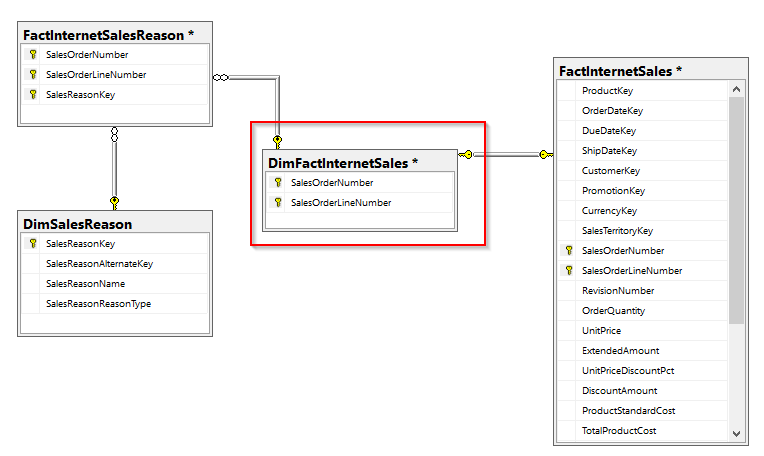
First, let’s look at how to implement many-to-many relationship in Multi-dimensional cube. The Adventure Works DW provide great example to understand the concept. If you look at the below diagram, there is no relationship between Sales Reason and Internet Sales here. In this case, the bridge table FactInternetSalesReason, bridges the sales reason and from theDiSalesReason dimension to the FactInternetSales fact table by these 2 columns SalesOrderNumber and SalesOrderLineNumber.
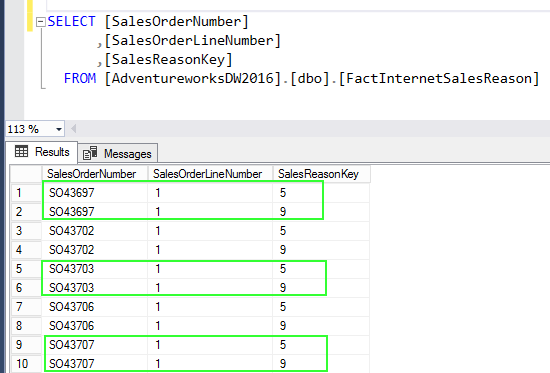
The FactInternetSalesReason table can have multiple entries for the same order number and line number.
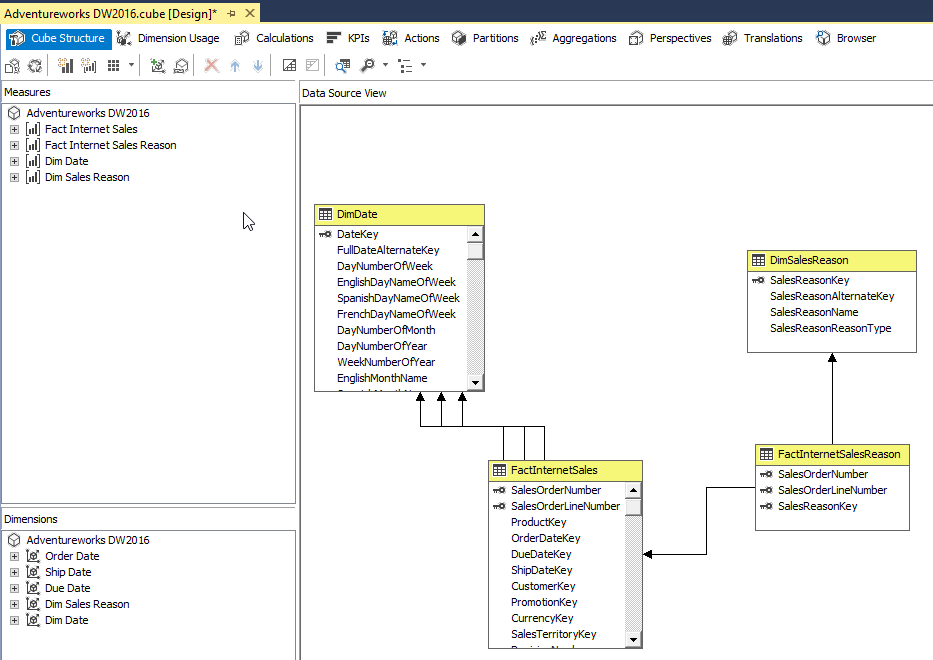
You see there are no relationship between Sales Reason and Internet Sales in the cube.
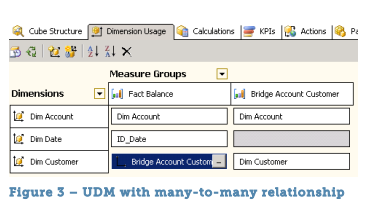
Many-to-many relationships are not automatically built through the wizards in the multidimensional cube or tabular model. The relationship needs to configure as per below.
Once implement the appropriate relationship, now shows correct values.
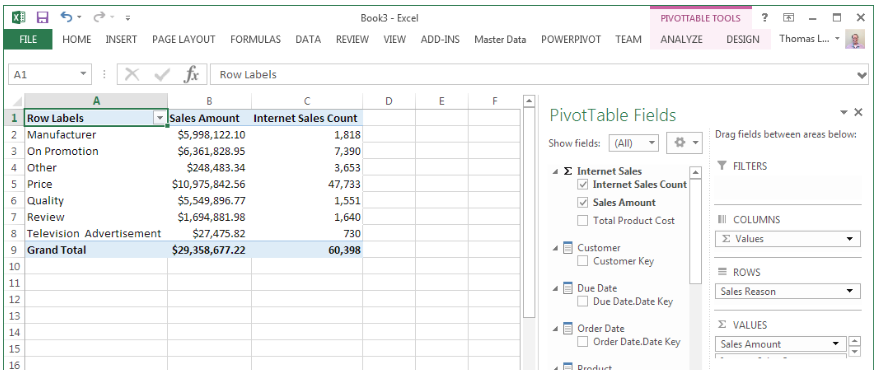
In the Tabular model, Bi-directional cross filters feature is used for many-to-many relationship. New in SQL Server 2016 is a built-in approach for enabling bi-directional cross filters in tabular models, eliminating the need for hand-crafted DAX workarounds for propagating filter context across table relationships.
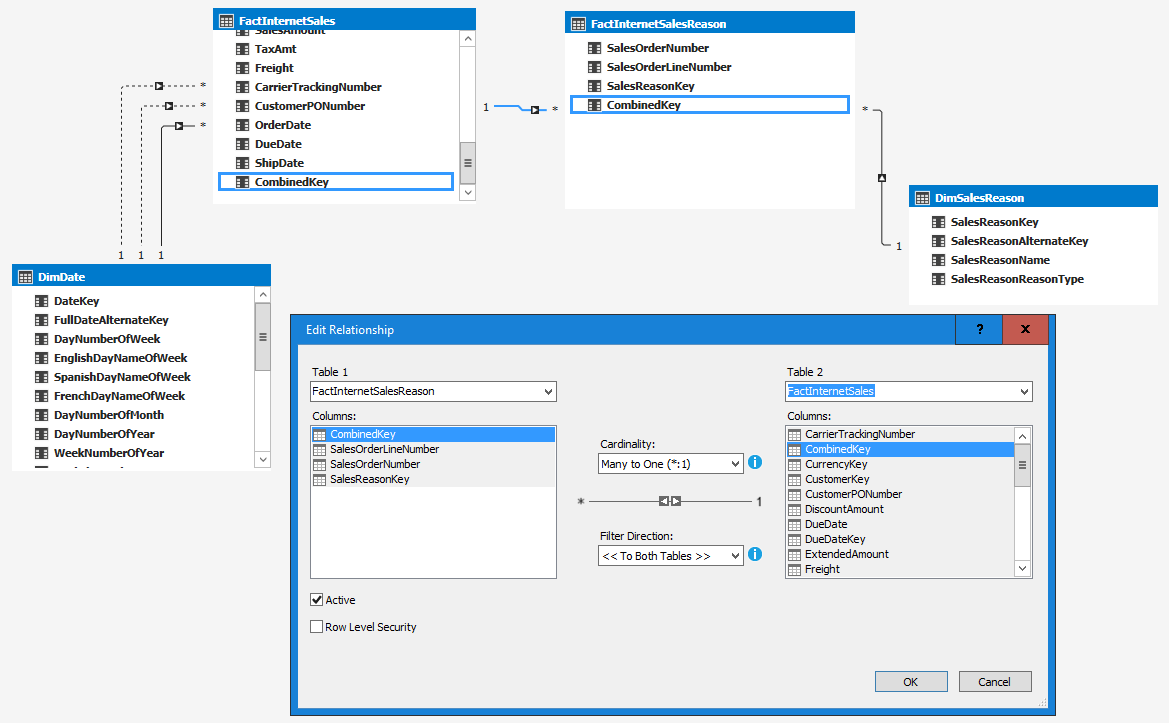
As I mentioned earlier, there is no relationship between these two fact tables when you import the tables into tabular model. Let’s created a calculated column in both the tables, they can be used to join the 2 fact tables. In this case [SalesOrderNumber] & "-" & [SalesOrderLineNumber] logic used to created the calculated column named called CombinedKey.
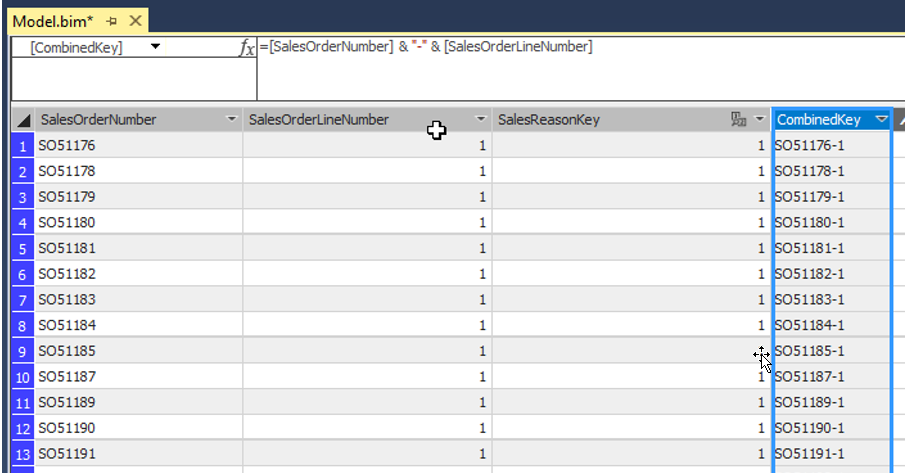
Once joined the tables using the CombinedKey and then select filter direction to “To Both Tables”.
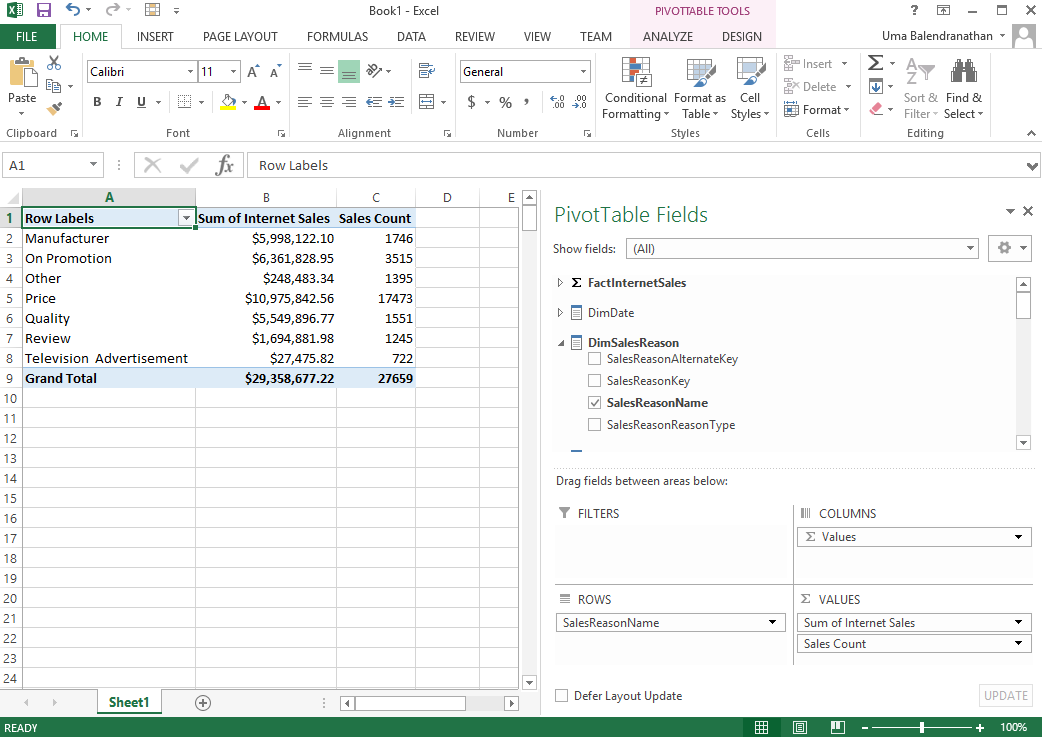
Now you can see the correct results while analyzing in Excel.
Cheers!
Uma

Thursday, January 26, 2017

How to handle Many to Many relationships in data warehouse dimensional modeling

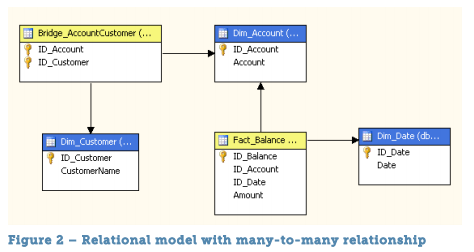
In a relational database, the many-to-many relationship between two tables is resolved through third intermediate table. This intermediate table sometimes called as bridge table.
For example, relationship between FactInternetSales and DimSalesReason though the FactInternetSalesReason intermediate table.
For a data warehouse in a relational database management system, this is the correct model and you can write your own queries as you want, however, SSAS is not supported many-to-many in this similar model.
To solve this problem by creating intermediate dimension between both fact tables. You create it from the primary key of the FactinternetSales table. Let’s call this dimension DimFactinternetSales. The relationship between the FactInternetSales and the new DimFactInternetSales dimension is one-one.
The following images show how to implement in actual scenario using SSAS multidimensional model
Cheers! Uma

Friday, January 6, 2017

How to generate Smart date key from Year, Month and Date

SELECT CONVERT (INT, CONVERT(VARCHAR (8), DATEFROMPARTS([year],[month],[date]),112))
FROM dbo.FactSales;
DATEFROMPARTS (year, month, day)
112 Format = yyyymmdd ISO

Thursday, October 13, 2016

Calculate Number of Business Days / Working Days between 2 given dates using Date Dimension

This article demonstrates ways to calculate the number of business days or working days between 2 given dates. Business days’ calculation is depending on country or sometime reign or may be specific for a company. If you need to ignore holiday then you don’t need to follow this approach, you can use SQL default functions.
Follow the below steps:
Step 1: Introduce 2 flag in Date dimensions as shown below:
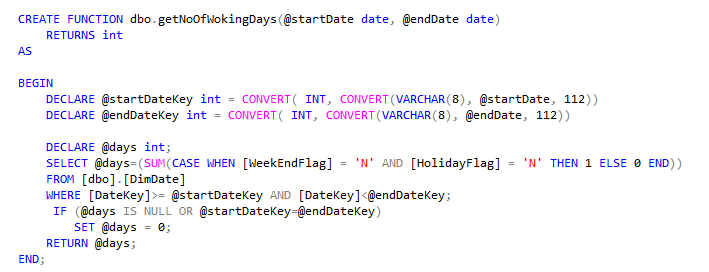
2. Crete a function as shown below
Note: In this function, date key (primary key of date dimension) is used instead of date. The reason is to get best performance out of this function when we run on large query. Primary key would use index seek instead of index scan in where condition in a query.
3. Now you can use this function in a query, even in a huge data set this would give good performance. However, using function against large data set is not recommended practice.
SELECT dbo.getNoOfWokingDays('2016-10-10','2016-10-13')

Calculating weekdays
If you need to calculate number of weekdays, you can use SQL techniques, I mean without considering holidays.
Note: You have to modify the above script before use this code according to your requirements.
Code:
/***Calculate Business Days / Working Days ****/
CREATE FUNCTION dbo.getNoOfWokingDays(@startDate date, @endDate date)
RETURNS int
AS   

BEGIN  
DECLARE @startDateKey int = CONVERT( INT, CONVERT(VARCHAR(8), @startDate, 112))
DECLARE @endDateKey int = CONVERT( INT, CONVERT(VARCHAR(8), @endDate, 112))

DECLARE @days int;  
SELECT @days=(SUM(CASE WHEN [WeekEndFlag] = 'N' AND [HolidayFlag] = 'N' THEN 1 ELSE 0 END))
FROM [dbo].[DimDate]
WHERE [DateKey]>= @startDateKey AND [DateKey]<@endDateKey;
IF (@days IS NULL OR @startDateKey=@endDateKey)   
SET @days = 0;  
RETURN @days;  
END;

You can test the function as shown below:
SELECT dbo.getNoOfWokingDays('2016-10-10','2016-10-13')

/***Calculate Weekdays ****/
DECLARE @startDate date, @endDate date
SET @startDate='2016-10-10'
SET @endDate = '2016-10-13'

SELECT
DATEDIFF(day, @startDate, @endDate) AS [No of Days]

,DATEDIFF(dd, @startDate, @endDate)
- (DATEDIFF(wk, @startDate, @endDate) * 2) -
CASE
WHEN DATEPART(dw, @startDate) = 1 THEN 1 ELSE 0 END +
CASE
WHEN DATEPART(dw, @endDate) = 1 THEN 1 ELSE 0 END AS [No of Working Days]

Cheers!
Uma