Install Apache Spark on Windows environment
In this post I will walk through the process of install Apache Spark on Windows environment
Spark can be installed in two ways
- Building Spark from Source Code
- Use Prebuilt Spark package
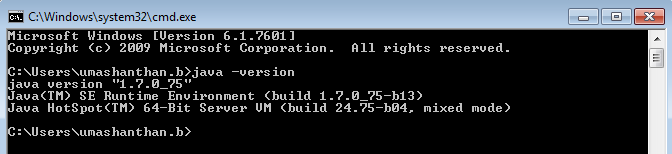
First make sure you have installed Java and set the required environment variable JAVA_HOME, Path, you can confirm using java-version command, if not install and configure Java.
If you are downloading Pre-Build version the prerequisites are:
- Java Development Kit
- Python (only required, if you are using Python instead of Scala or Java)
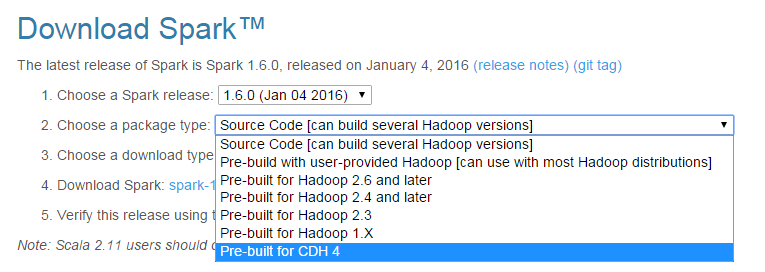
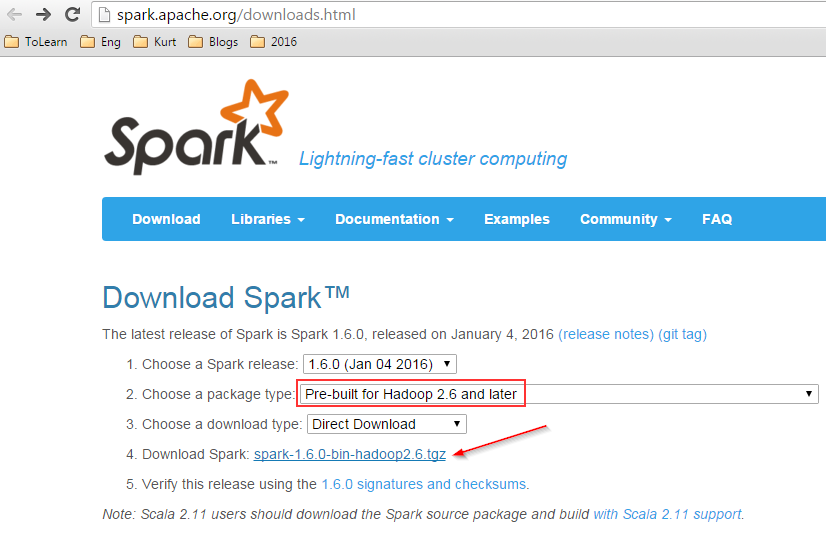
Download Pre-Build for Hadoop 2.6 and later, as shown below
Extract the file, here I place all the Spark related files into C:\Learning\


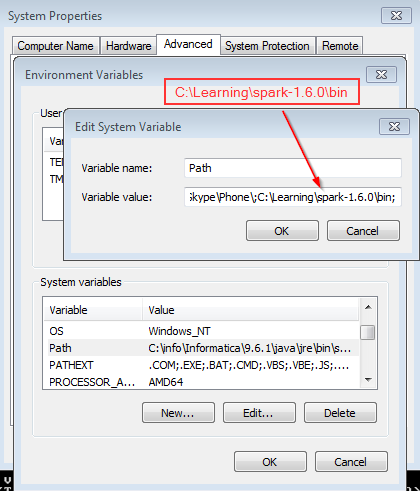
Set the SPARK_HOME and add %SPARK_HOME%\bin in PATH in environment variables

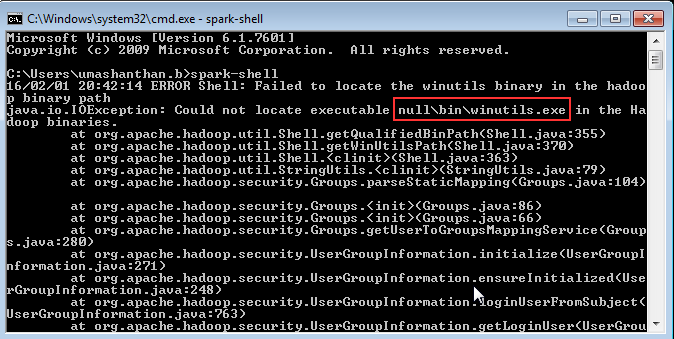
java.io.IOException: Could not locate executable null\bin\winutils.exe in the Hadoop binaries. The reason is because spark expect to find HADOOP_HOME environment variable pointed to hadoop binary distribution.
Download hadoop common binary, extract the downloaded zipped file to C:\Learning\

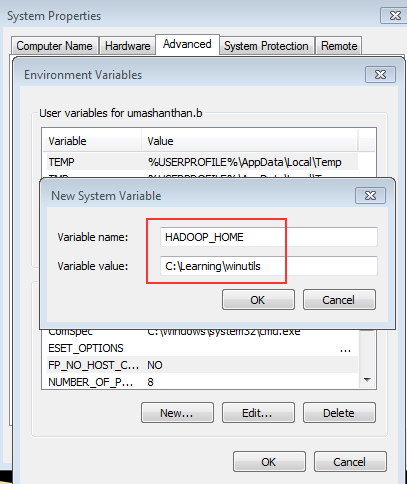
Then set the HADOOP_HOME for example
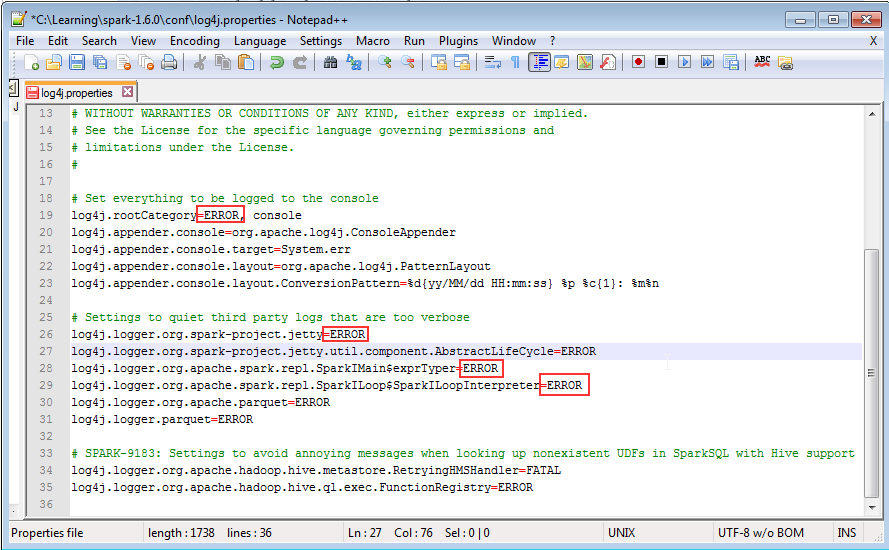
Spark use Apache log4j for logging, to configure log4j go to C:\Learning\spark-1.6.0\conf, you will find template file called ‘log4j.properties.template’.

Delete the extension ‘.template’, and open file in text editor, find the property called ‘log4j.rootCategory’ , you can set it to the level you want.
In my case I changed to ‘ERROR instead of ‘INFO AND WARN’
In my case I changed to ‘ERROR instead of ‘INFO AND WARN’
Spark has two shells, they are existed in ‘C:\Learning\spark-1.6.0\bin’ directory :
- Scala shell (C:\Learning\spark-1.6.0\bin \spark-shell.cmd).
- Python shell (C:\Learning\spark-1.6.0\bin\pyspark.cmd)
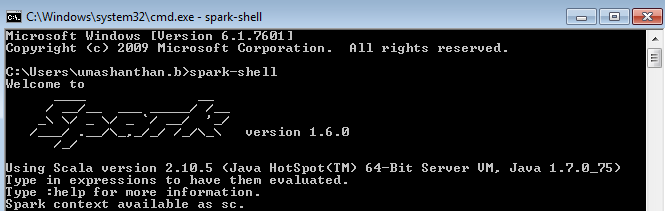
If you start using spark-shell the you will see the shell as shown below
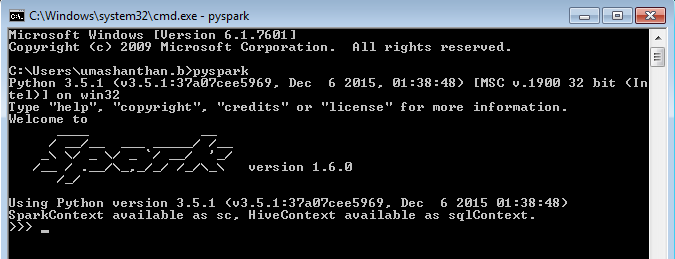
If you start using pyspark the you will see the shell as shown below
You can check via UI also

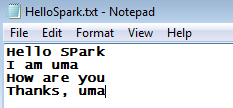
Now let run and see Word count example, I create a small text file as shown below and save it

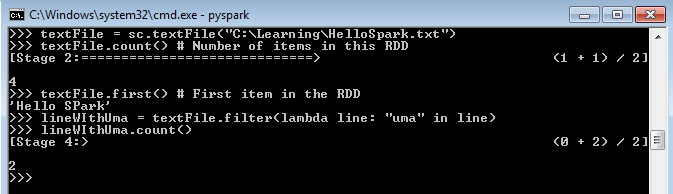
Let’s run using pyspark
In addition to this, if you need to get Source file of the Spark and build, you need to Install Spark and configure also you need to install any tool that can be used to build the source code such as SBT.
In the following steps shows that how to install Scala
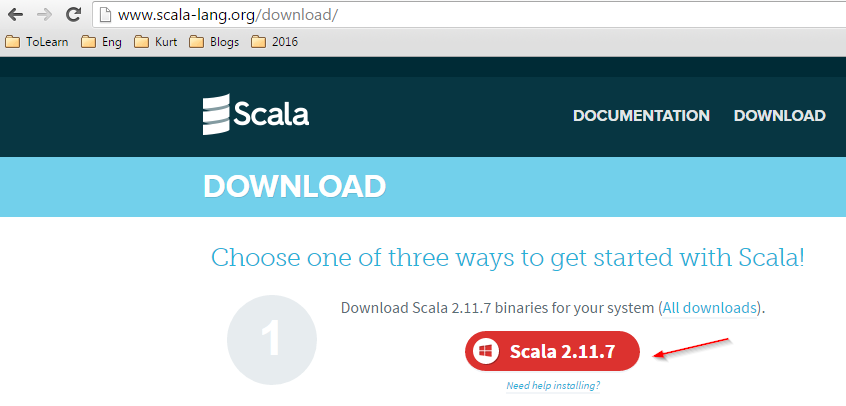
Download the scala from www.scala-lang.org/download
Run the downloaded msi file and install
Set SCALA_HOME and add %SCALA_HOME%\bin in PATH variable in environment variables.
You can test using scala command in command prompt

Cheers!
Uma
