Showing posts with label Oracle. Show all posts

Sunday, January 10, 2016

How to connect Oracle 8 using Oracle SQLDeveloper

Latest version Oracle Developer is not support to connect Oracle 8. You could try using a much older version of SQL Developer to access 8, however most of the cases this might not work.
You can connect Oracle 8 via DBVisulaizer with Talend jar file.
DbVisualizer is a database management and analysis tool for all major databases (e.g. Oracle, SQL Server, DB2, Sybase, MySQL, SQLite). There is both a free version and a paid version.
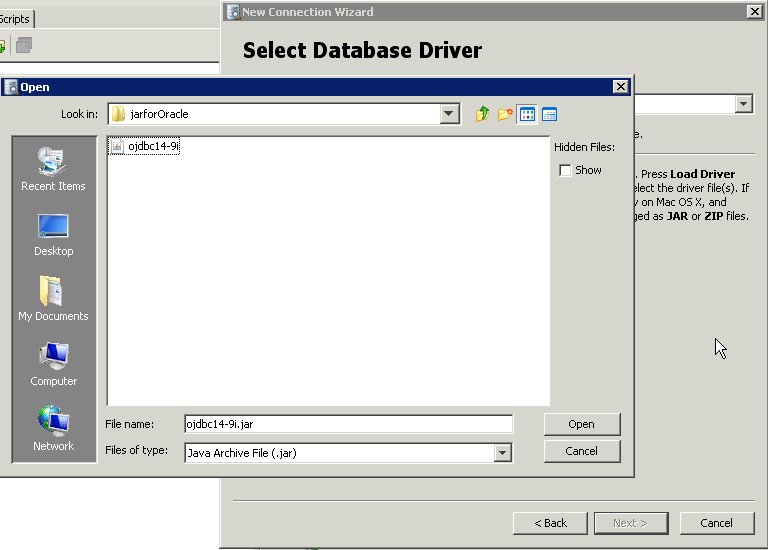
The below image shows the location of jar file in Talend for Oracle 8
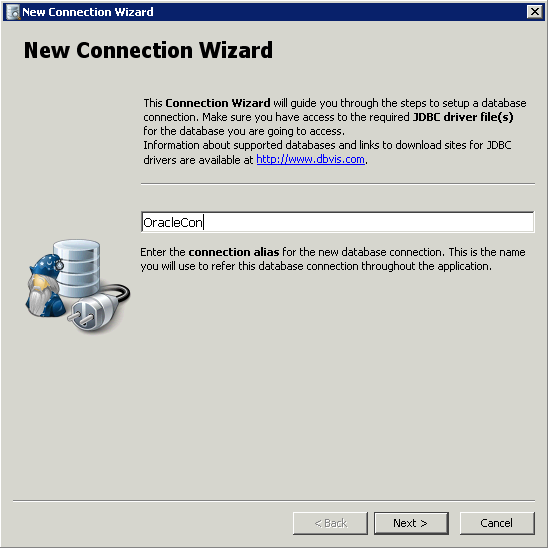
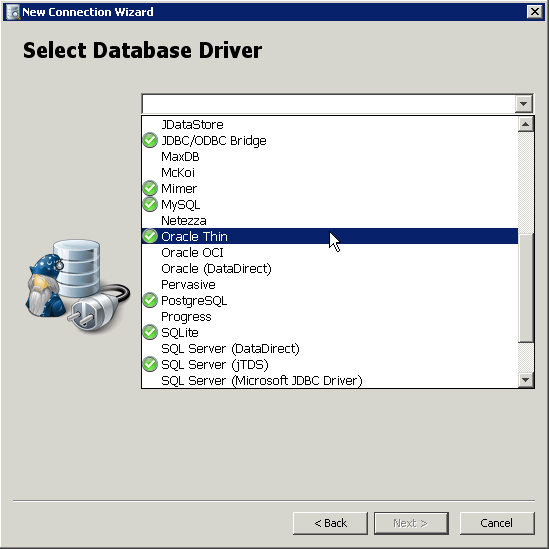
The below steps needs to follow to connect Oracle 8 using DBVisualizer
Cheers! Uma

Friday, September 25, 2015

Oracle and Datanomic

Datanomic is one of the old ETL tool. Oracle has acquired Datanomic, a leading provider of customer data quality software and related applications for risk and compliance screening. Datanomic technology combined with Oracle Product Data Quality is expected to deliver the most complete data quality solution to reduce the cost and complexity of managing data across our customers' businesses.
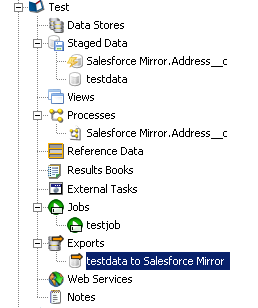
The following steps shows that how to create a Datanomic job.
Create a Staged data for Source
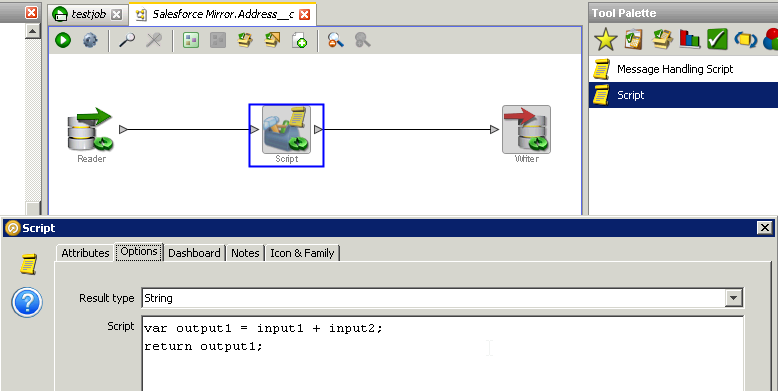
Create a Processes, in Datanomic most of the processes are done by java script. You can use the help link to find a command.
Create a jobs using tasks. If you want to save the data from staging you need to Export.
Cheers! Uma

Friday, September 18, 2015

How to rollback Query on Oracle SQL Developer

You don’t need to use AUTOCOMMITED OFF; START TRANSACTION; in SQL Developer. All you need is after running the script just run ROLLBACK / COMMIT command, this will support insert/delete/update. Because by default in SQL Developer will not do auto commit.

If you give 
rollback;
Then the whole transactions is roll backed.

If you give 
commit;
Then the whole transaction is committed and all savepoints are removed.

If you give,
rollback to a; 
Then rollback up to the specified savepoints.
  
Example
insert into emp (empno,ename,sal) values (109,’Sami’,3000);
savepoint a;
insert into dept values (10,’Sales’,’Hyd’);
savepoint b;
insert into salgrade values (‘III’,9000,12000);

Cheers!

Uma

Monday, August 17, 2015

The differences between SID and Service Name in Oracle connection

When creating an Oracle connection, there are two types of connections that can be used:
  •  SID
  • SERVICE_NAME

The differences between those are:
  • SID = the unique name of your DB
  • ServiceName = the alias used when connecting

SID = unique name of the INSTANCE
For example, the oracle process running on the machine, the SID is the local name of the database on your system, and the Service Name is the name of the system to the outside world.
For example, you might have a QA database and a production database with the same SID but referenced with 2 different service names:
QA.WORLD =
 (DESCRIPTION =
   (ADDRESS =
      (PROTOCOL = TCP)
       (PORT = 1521)
     (HOST = QA.ACME.ORG)
   )
   (CONNECT_DATA = (SID = MYSID))
)

PROD.WORLD =
 (DESCRIPTION =
   (ADDRESS =
      (PROTOCOL = TCP)
      (PORT = 1521)
      (HOST = PROD.ACME.ORG)
   )
   (CONNECT_DATA = (SID = MYSID))

)

Cheers!
Uma